


There was a time when the standard SEO playbook went something like this: find a keyword, make a page for it. Find another keyword, make another page. Repeat until you have hundreds of pages covering every possible variation of every possible search term someone might type into Google.
It worked. For a while.
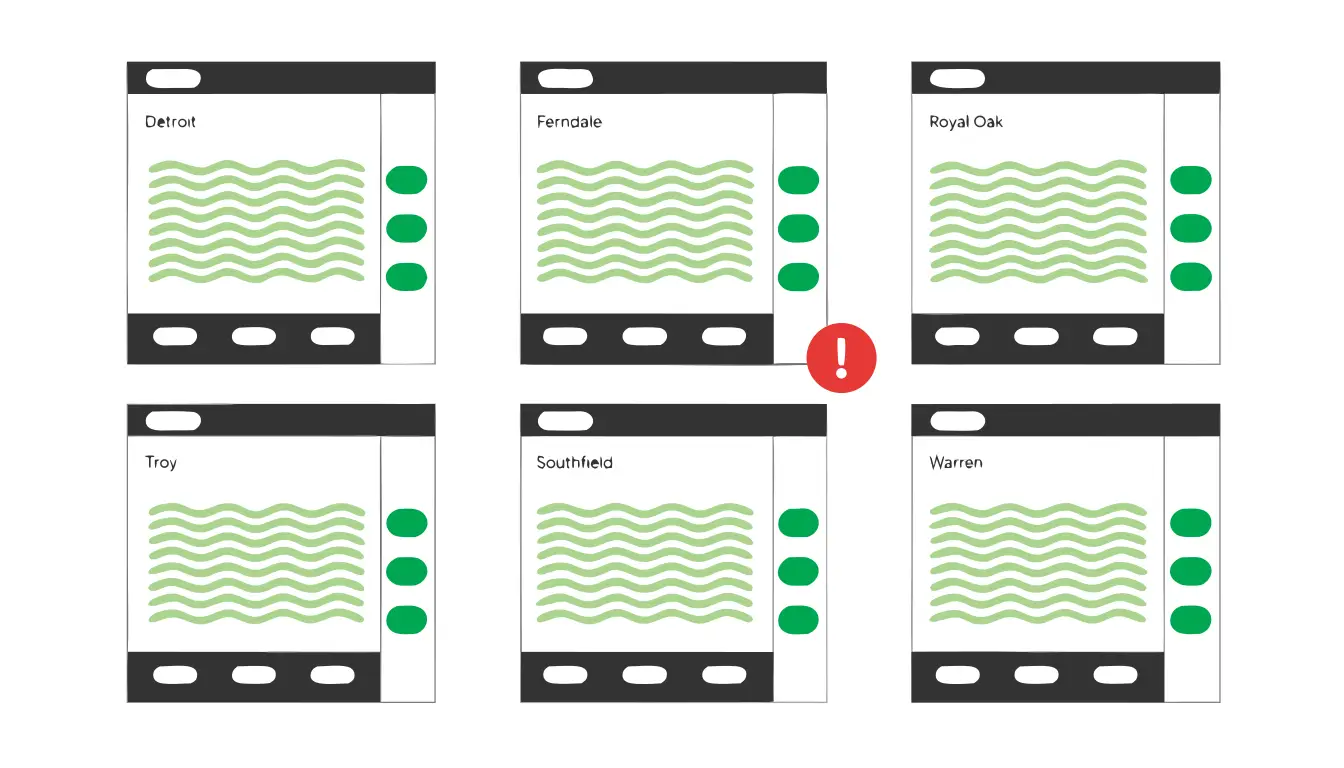
Agencies built out entire fleets of location pages. "Plumber in Detroit." "Plumber in Ferndale." "Plumber in Royal Oak." "Plumber in Troy." Same content on every page, just swap the city name. They cranked out blog posts targeting every long-tail keyword they could find, even when the posts said roughly the same thing with slightly different titles. The logic made sense at the time: more pages meant more chances to rank.
That era is over. And if your site still has those pages, they're probably doing more harm than good. That's the problem with SEO strategies inherited from the early 2010s: what used to help your rankings is now actively working against them.
What is keyword cannibalization?
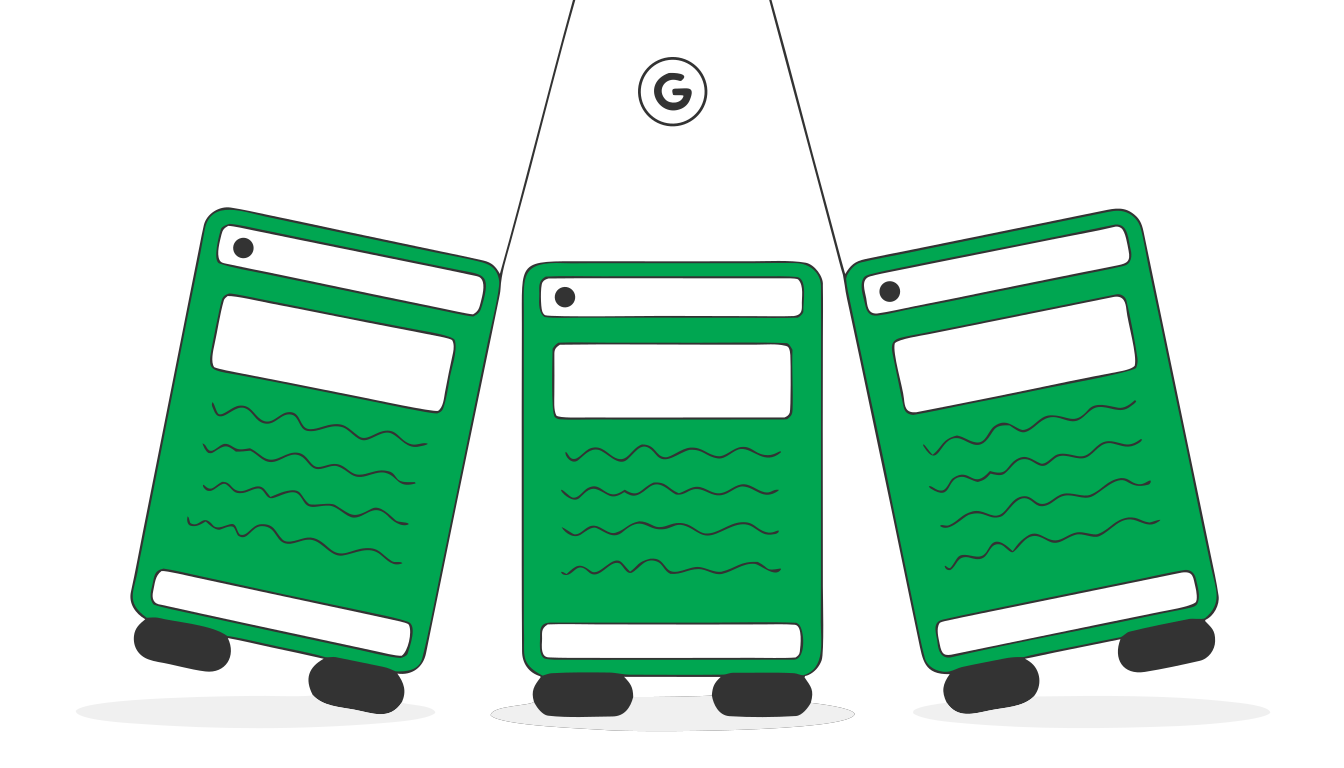
Keyword cannibalization happens when two or more pages on your own site compete for the same search query. Instead of Google seeing one strong page on a topic and ranking it well, Google sees multiple pages that seem to cover the same thing. It doesn't know which one to prioritize. So it either picks the wrong one, splits the ranking signals between them, or doesn't rank any of them as well as one consolidated page would.
Think of it like entering three runners from the same team in a race, except instead of one fast runner, you've spread the training across three mediocre ones. None of them wins. They just get in each other's way.
The tricky part is that cannibalization doesn't announce itself. Your pages still show up in Google's index. You still get some impressions. It just looks like your SEO isn't performing that well, and most people blame the algorithm, the competition, or the content quality before they realize their own pages are the problem.
What changed (and why the old approach stopped working)
Google's algorithm in 2013 treated "plumber in Ferndale" and "plumber in Royal Oak" as genuinely different searches that deserved different pages. The algorithm was more literal. It matched keywords to pages on a fairly direct, word-for-word basis.
That's not how it works anymore.
Google now understands intent, not just keywords. The search engine groups queries by what the searcher actually wants, not the exact words they type. "Plumber in Ferndale" and "plumber near Ferndale MI" and "best plumber Ferndale Michigan" all express the same intent. Google doesn't need a separate page for each. One good page handles all of them.
The helpful content updates raised the bar. Starting in 2022 and rolling through multiple updates since, Google has gotten aggressive about demoting pages that exist primarily to match search queries rather than to help people. Thin pages with templated content, like location pages where only the city name changes, are exactly what these updates target. Google's guidance on creating helpful content says it plainly: content should demonstrate first-hand experience and provide genuine value, not just fill a keyword slot.
Topical authority matters more than page count. Google evaluates your site's overall authority on a subject. Thirty thin pages on variations of the same topic don't build authority. They dilute it. One page that thoroughly covers the subject signals expertise far better than a stack of shallow ones.
Internal linking signals got more important. When you have multiple pages targeting the same topic, your internal linking gets confused. Pages across your site link to different versions, spreading link equity around instead of concentrating it on one strong page. External backlinks suffer the same problem. Different sites link to different pages, and none of them build enough authority to rank well.
The most common cannibalization culprits
If your site has been around for a few years and has gone through one or more SEO agencies, you probably have at least one of these problems.
Geo-targeted city pages
This is the big one. Dozens of pages that say "We provide [service] in [city]" with identical or nearly identical content, just with the city name swapped out. Sometimes they were built by an agency. Sometimes they were generated by a plugin. Either way, they're usually thin, they duplicate each other, and they confuse Google about which page should rank for your core service terms.
If you have 40 city pages and your main service page, that's 41 pages competing for variations of the same query. Your service page — the one with the most detail, the best content, and the strongest links — gets its authority split 41 ways.
Old blog posts that overlap with current service pages
Your site has a detailed service page about technical SEO. But three years ago, someone published a blog post called "What Is Technical SEO? A Beginner's Guide." And two years ago, another one called "Why Technical SEO Matters for Your Business." All three pages now compete for "technical SEO" searches. The blog posts are thinner, older, and less useful than the service page, but they're pulling ranking signals away from it.
Blog posts targeting nearly identical long-tail keywords
"How to improve your Google Ads quality score." "What is a good quality score in Google Ads." "Google Ads quality score tips." Three separate posts, all answering the same fundamental question. Google recognizes they're about the same thing and doesn't know which one to rank.
Category and tag pages that duplicate topic pages
Some CMS setups automatically create archive pages for categories and tags. If you have a category called "SEO" and a tag called "search engine optimization" and a service page about SEO, you now have three URLs that Google might try to rank for SEO-related queries.
How to run a cannibalization audit (the full process)
A proper cannibalization audit uses three layers: Google Search Console for real search data, a crawl tool like Screaming Frog for on-page signals, and a rank intelligence platform like Semrush for competitive overlap. This is the process we run when we audit a new client's site.
Layer 1: Google Search Console — find the overlapping queries
This is where you start because it shows you what Google is actually doing with your pages, not what you intended them to do.
Go to Search Console. Click Performance, then filter to the last 6 months for a reliable dataset. Click the Pages tab and find your most important money page — your main service page, your flagship product page, whatever drives revenue. Click on it, then switch to the Queries tab. Export this data. You now have a list of every search query Google associated with that page.
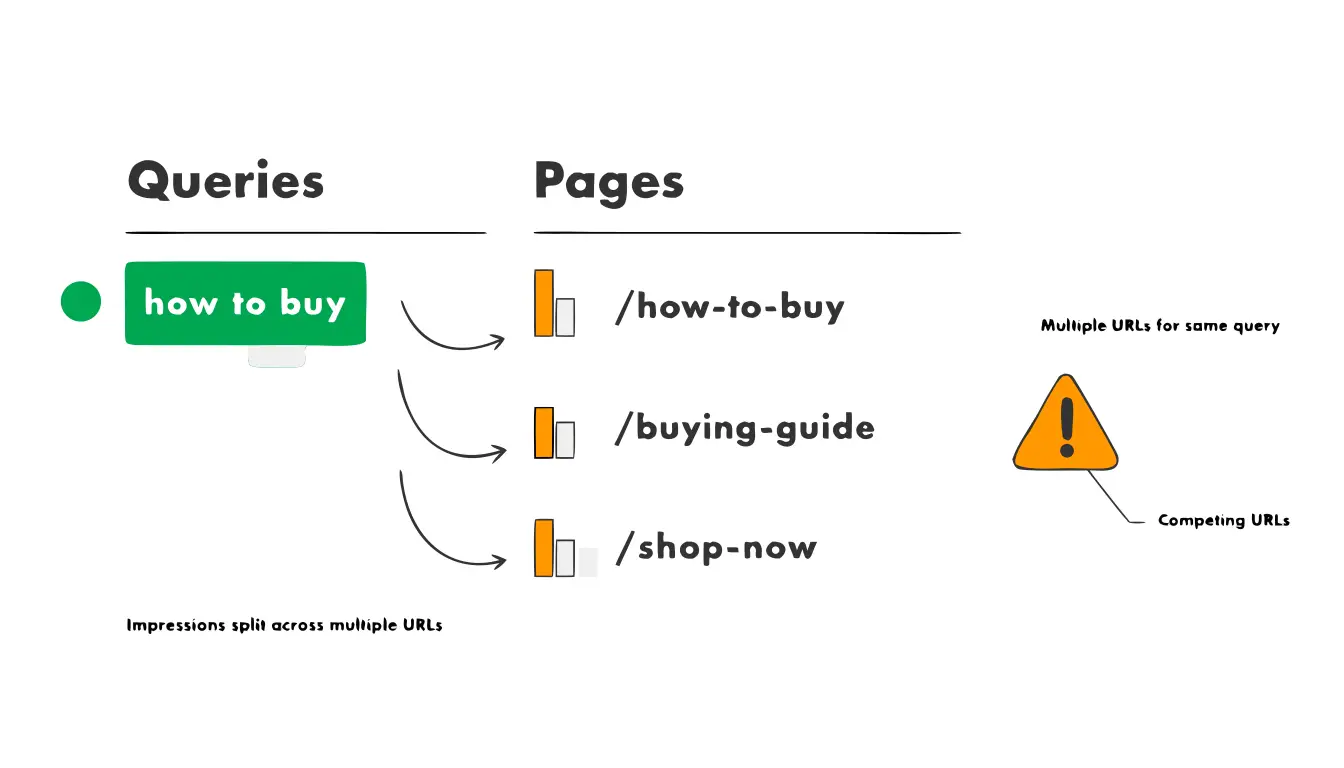
Now go back to the top-level Queries view. Find the top queries from that export and click on each one individually. Switch to the Pages tab. If you see two, three, or five of your own URLs pulling impressions for the same query, that's cannibalization confirmed. Export each of these so you have a record of which URLs are competing and for which queries.
Pay special attention to queries where multiple URLs have impressions but none of them have strong clicks. That pattern means Google is testing your pages against each other, can't commit to one, and searchers aren't happy with any of the options it's serving.
For a faster version of this: export your full Search Console performance data (Pages + Queries) into a spreadsheet. Create a pivot table that groups queries by the number of unique URLs receiving impressions. Any query associated with three or more URLs is worth investigating. Queries with five or more URLs are almost certainly hurting you.
Layer 2: Screaming Frog — crawl for on-page overlap
Search Console tells you what's happening in Google's results. Screaming Frog tells you why it's happening on your site.
Run a full crawl of your site in Screaming Frog. Once it finishes, go through this checklist:
Duplicate and near-duplicate title tags. Go to Page Titles, then filter for Duplicate. Every pair of pages sharing a title tag is a cannibalization risk. Google uses title tags as a primary signal for what a page is about. If two pages have the same title, or titles that only differ by a city name, Google sees them as competing for the same topic. For geo pages, this is where you'll find titles like "Plumbing Services in Detroit | Company Name" and "Plumbing Services in Ferndale | Company Name." Technically different. Google treats the core topic as identical.
Duplicate meta descriptions. Same drill. Filter for Duplicate in the Meta Description tab. This isn't as damaging as duplicate titles, but it reinforces the overlap signal.
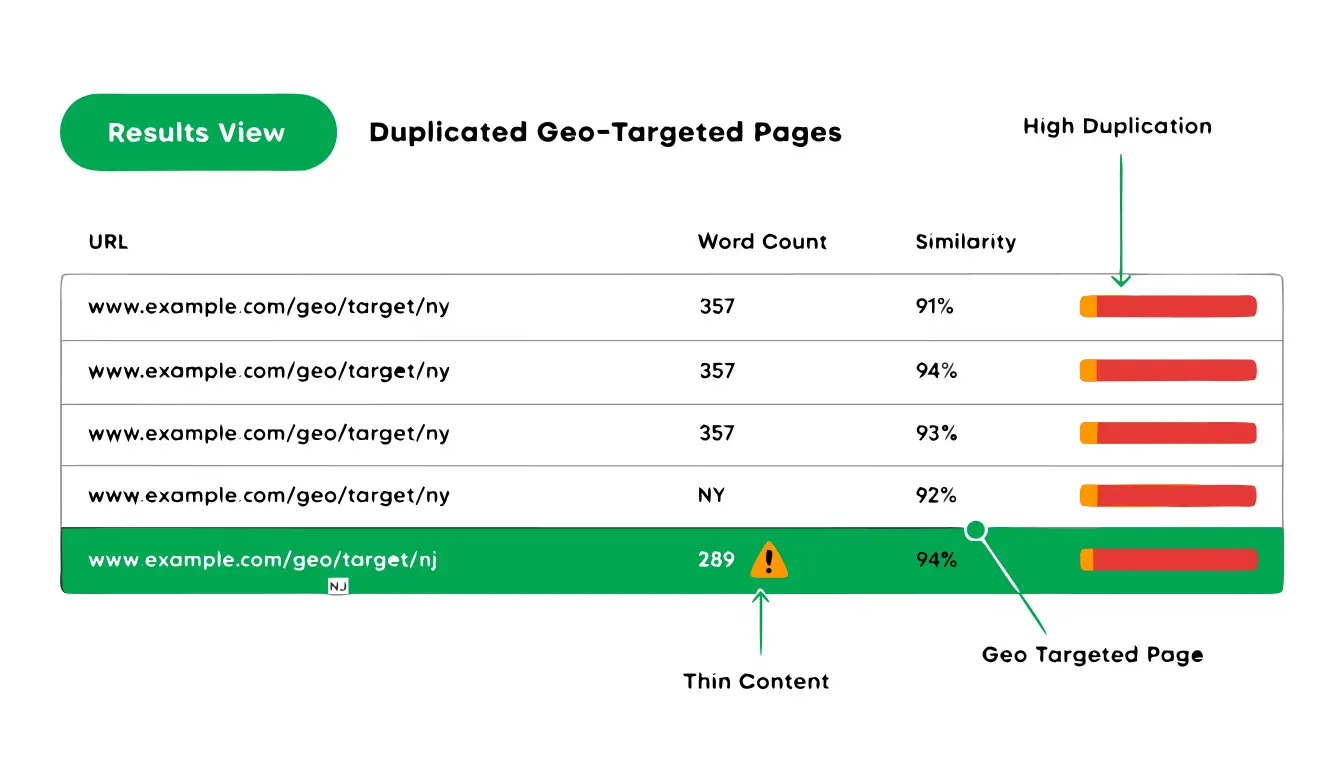
Near-duplicate content detection. In Screaming Frog, go to Configuration > Content > Near Duplicates and enable it before you crawl. After the crawl completes, the Content tab will flag pages with high content similarity percentages. Anything above 70-80% similarity is a problem. This is the fastest way to find your templated geo pages, because Screaming Frog will literally tell you "these 30 pages are 94% identical."
Thin page identification. Sort the Internal tab by Word Count (low to high). Pages with under 300 words of body content are thin by almost any standard. Cross-reference these with the Search Console data you already pulled. If a thin page is pulling impressions for the same queries as a comprehensive page, it's dead weight.
H1 tag overlap. Check the H1 tab for duplicates. Pages with the same or very similar H1 tags send a clear signal to Google that they cover the same topic. Combined with similar body content, this is a strong cannibalization indicator.
Layer 3: Semrush — competitive rank intelligence
Semrush's Cannibalization Report (inside the Position Tracking tool) automates what would take hours to do manually in Search Console.
Set up a Position Tracking campaign for your domain if you don't already have one. Add your target keywords — all the terms you want to rank for. Give it a few days to collect data, then open the Cannibalization tab. Semrush will show you every keyword where more than one of your URLs appears in the top 100 results. It flags the severity based on how many URLs are competing and how close they are in ranking position.
What to look for in the Semrush data:
"Cannibalization detected" keywords. These are the ones where Semrush found multiple URLs competing. Sort by the number of competing pages. Keywords with four or five competing URLs are the worst offenders.
URL flip-flopping. In the Position Tracking overview, look at the "Pages" column for individual keywords over time. If the ranking URL keeps changing, your service page ranking Monday, your blog post ranking Thursday, your geo page the following week, that's textbook cannibalization. Google is cycling through your pages because it can't commit to one. The ranking history graph for each keyword shows this clearly: the URL line shouldn't be jumping around.
SERP feature loss. Check whether your competitors are winning featured snippets or People Also Ask boxes for keywords where you have cannibalization. When your authority is split across multiple pages, none of them are strong enough to earn those features. A competitor with one focused page will often beat you for the rich result even if their domain authority is lower.
If you don't have Semrush, you can replicate this partially with Ahrefs. Go to Site Explorer > Organic Keywords, export to a spreadsheet, and filter for keywords where more than one URL from your domain ranks. It's more manual, but it gets you to the same answers.
Layer 4: The quick manual check
For a faster gut-check on any specific keyword, go to Google and type: site:yourdomain.com "your target keyword"
If more than one or two pages show up, you have overlap that's worth investigating through the more detailed methods above.
How to fix it
Once you know which pages are cannibalizing each other, you have three options. The right one depends on the situation.
Option 1: Consolidate with 301 redirects
This is the right move when you have multiple weak pages covering the same topic and one of them is clearly the best (or could be with some updating). Keep the strongest page, redirect the others to it with 301 redirects, and merge any unique content or backlinks from the weaker pages into the surviving one.
Before you redirect anything, use Semrush's Backlink Analytics (or Ahrefs' Site Explorer) to check whether any of the pages you're about to kill have earned external backlinks. If a thin geo page somehow earned a link from your local chamber of commerce or a news article, you want those links to flow to the surviving page through the 301. If you just delete the page without redirecting, those backlinks vanish.
This is almost always the right answer for geo-targeted city pages. If you have 30 city pages that all say the same thing, redirect them to your main service page (or to a well-built local SEO landing page that covers your full service area with real, differentiated content). You lose nothing of value and concentrate all the ranking signals where they belong.
For blog posts that overlap with service pages, redirect the blog posts to the service page. The service page converts better anyway. If the blog post has useful content that the service page doesn't, merge it in before redirecting.
After implementing redirects, run another Screaming Frog crawl to verify. Check the Redirect Chains report to make sure you haven't created chains (Page A redirects to Page B, which redirects to Page C). Chains dilute link equity and slow down crawl efficiency. Every redirect should go directly to the final destination in a single hop.
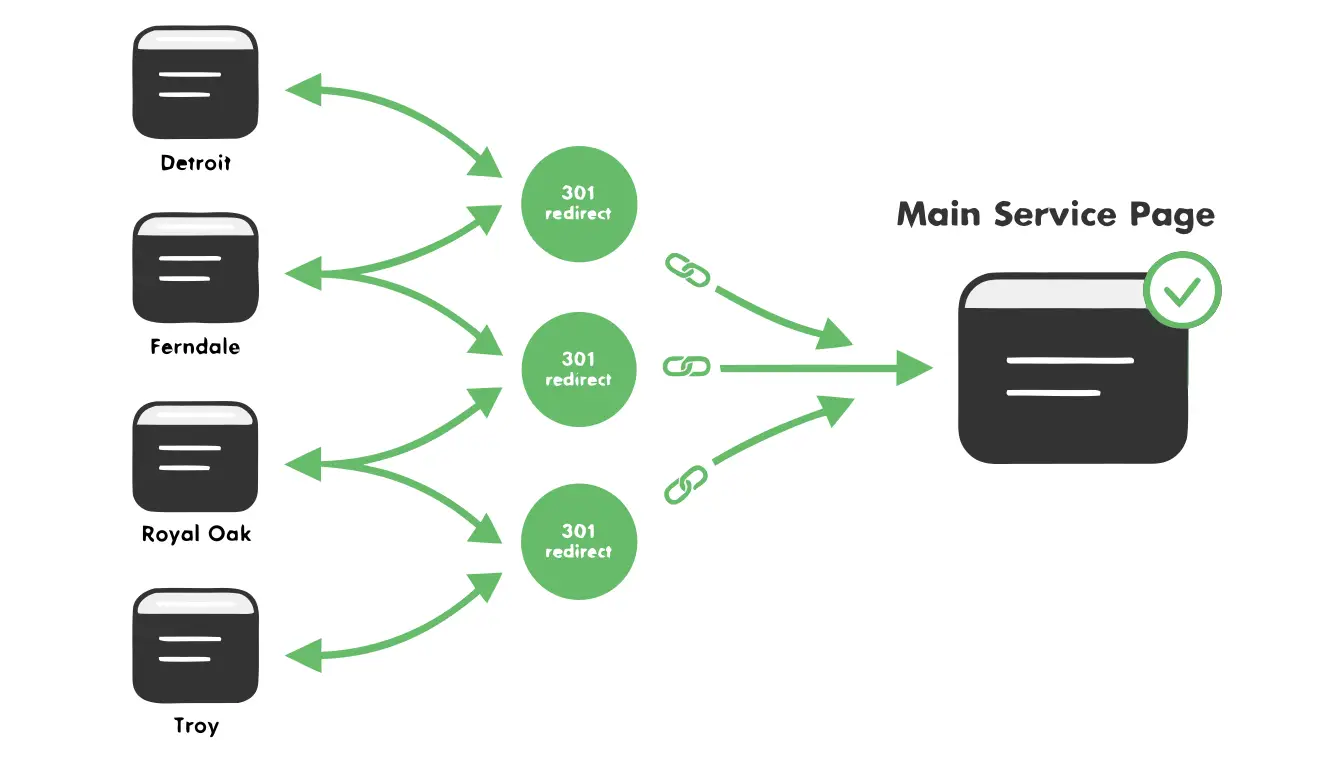
Option 2: Differentiate the content
Sometimes two pages deserve to exist separately, but they need to be more clearly distinct. This works when the pages target different intents even if the keywords overlap.
For example, "how to fix keyword cannibalization" (informational intent) and "SEO audit services" (commercial intent) might overlap on the keyword "keyword cannibalization," but they serve different purposes. The fix isn't to merge them. It's to make each page's focus sharper. Tighten the title tags. Adjust the content so each page leans clearly into its specific intent. Update your internal linking so each page links to the other as a related resource rather than competing head to head.
If you decide to keep separate location pages, each one needs genuinely unique content. Not "same paragraph with city name swapped." Actual information about serving that specific area — local references, area-specific case studies, details about the local market. If you can't write at least 300 words of unique, useful content for a location page beyond what's on your main service page, that page shouldn't exist.
Option 3: Prune (remove without redirecting)
Some pages just need to go. If a page has no backlinks, no meaningful traffic, no unique content, and it's competing with a better page, remove it. You can either delete it and let it 404 (Google will eventually drop it from the index) or redirect it if there's a logical destination.
Tag and category archive pages that duplicate your topic pages can usually be noindexed rather than deleted. Add a noindex tag so Google stops trying to rank them while keeping them functional for site navigation.
After making changes: update your internal links
This step gets skipped constantly and it matters. After you consolidate or redirect pages, go through your site and update every internal link that pointed to the old pages. Point them to the surviving page instead. This reinforces to Google which page is the authority on that topic, and it prevents users from hitting redirect chains.
Also update your content strategy going forward. Before publishing any new page or blog post, check whether you already have a page targeting that keyword or topic. If you do, update the existing page instead of creating a new one.
A decision tree for your old geo pages
Because this is the most common scenario we see when auditing new client sites, here's a step-by-step:
1. How many geo pages do you have? If fewer than 5, skip to step 3. If more than 5, continue.
2. Is the content meaningfully different on each page? Open three of them. Read the body content. If the only difference is the city name (and maybe a different hero image), the content is not meaningfully different. Move to step 4.
3. Do any of these pages have backlinks or meaningful traffic? Check Search Console and your backlink tool. If a page has earned links from other sites or gets consistent organic traffic on its own, it has some value. Flag it for differentiation (Option 2 above). If not, move to step 4.
4. Redirect them to your main service page. Set up 301 redirects from every thin geo page to your primary service page (or to a single, well-built service area page). Merge any unique content worth keeping. Update internal links across your site.
5. Monitor for 60-90 days. After redirecting, watch your Search Console data. You should see the surviving page pick up impressions and rankings for queries that were previously split across multiple pages. It might dip briefly as Google reprocesses, but it typically recovers and improves within 4-8 weeks.
Preventing cannibalization going forward
The fix is only useful if you stop creating the problem. Here's what that looks like:
Maintain a keyword map. This is a simple spreadsheet that assigns one primary keyword (and intent) per URL on your site. Before anyone creates a new page or blog post, check the map. If that keyword is already assigned to an existing page, update that page instead of making a new one.
Audit quarterly. Once every three months, run the Search Console check described above. Look for new instances of multiple URLs showing up for the same queries. Catch it early and it's a quick fix.
Brief your writers (and your agency). If you work with freelancers, an agency, or an internal team, make sure they understand this. "Write a blog post about [topic]" needs to come with the context of what already exists on your site. Without that context, even good writers will accidentally create content that competes with your existing pages.
Where this leaves you
If your site has accumulated years of thin geo pages, overlapping blog posts, or duplicate content from past SEO work, you're almost certainly leaving rankings on the table. Consolidation produces better results in nearly every case we've seen. Fewer pages, done well, outperform a pile of mediocre ones.
If the audit feels overwhelming or you're not sure which pages to keep vs. kill, schedule a free consultation with our team. We'll run a full cannibalization audit on your site and put together a cleanup plan that actually improves your rankings, not just deletes things and hopes for the best.
