

When most business owners think about Google Shopping campaigns, they focus on bids, budgets, and targeting. But there's something more fundamental that determines whether your campaigns succeed or fail: the quality of your product data in Google Merchant Center.
Your product feed isn't just a technical requirement - it's your store's résumé to Google. And just like a résumé full of typos and missing information won't land you a job interview, a poorly optimized feed won't get your products in front of shoppers.
In this article, I'll show you exactly how data accuracy affects your campaign performance, where most businesses go wrong, and what you need to do to gain a competitive edge through better product data.
What "Accurate Product Data" Really Means
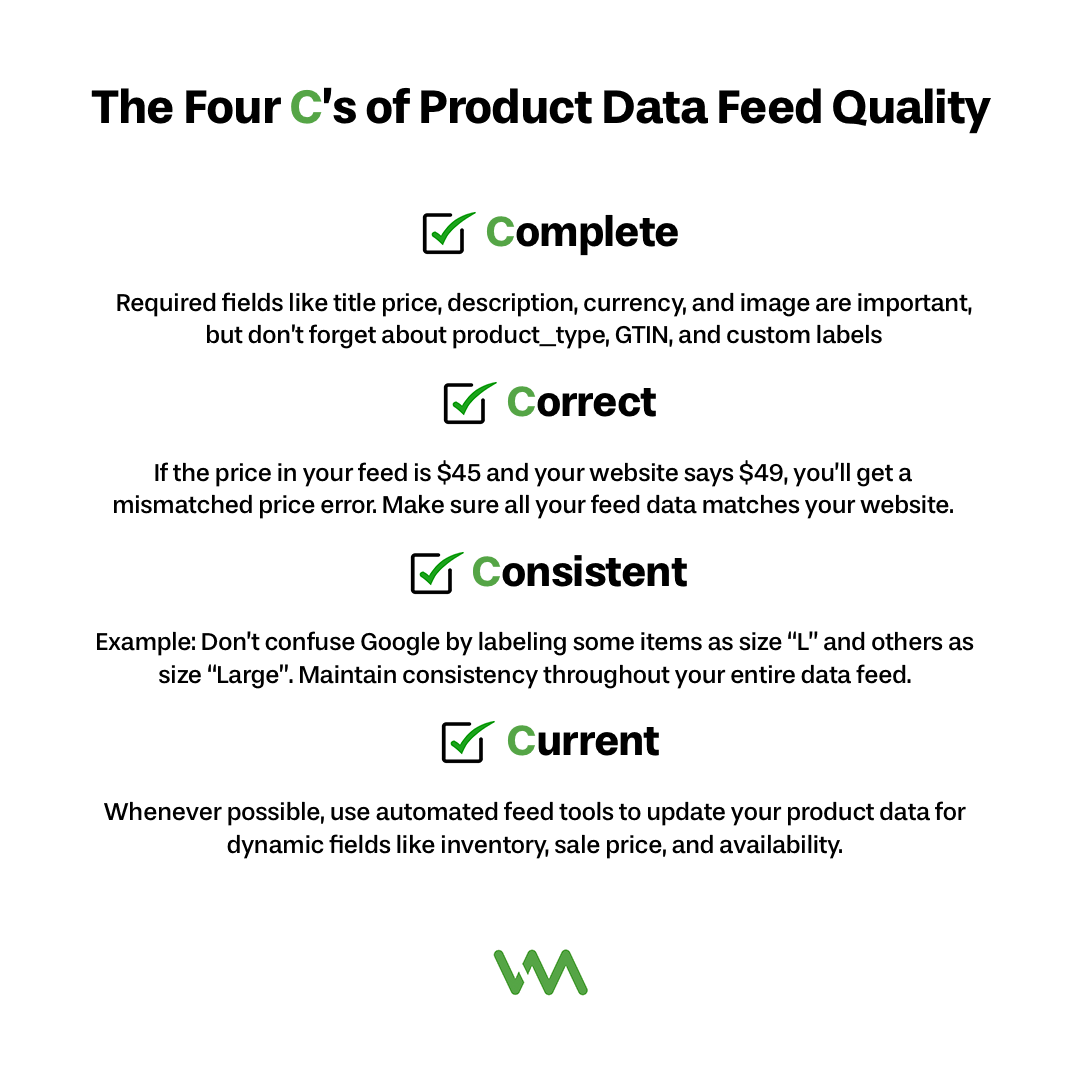
Before we talk about impact, let's define what we mean by accurate product data. It's more than just avoiding disapprovals.
Complete information means filling in all required fields (like title, description, image, price) plus the recommended fields that Google uses to understand and categorize your products. Many businesses stop after the bare minimum, but fields like product_type, custom_labels, and enhanced attributes give Google more signals to work with.
Correct information means your feed data matches your website exactly. If your feed says a shirt is blue but the landing page shows it's navy, that's incorrect data. If the price in your feed is $49 but your website shows $45 after an automatic discount, that's incorrect data. These mismatches create a poor user experience and hurt your performance.
Consistent information is about maintaining uniform formatting across your catalog. If some products list size as "Large" and others as "L", that's inconsistent. If some brands are ALL CAPS and others are proper case, that's inconsistent. Google's algorithm works better when your data follows predictable patterns.
Current information means updating your feed frequently enough to reflect current reality. Prices change. Products sell out. New items get added. Your feed should reflect these changes within hours, not days or weeks. Stale data leads to wasted ad spend and frustrated customers.
How Data Quality Affects Ad Visibility
Here's something most business owners don't realize: Google assigns a quality score to your Shopping ads, similar to how they score text ads in Search campaigns. Your product data quality is a major factor in this score.
Incomplete data limits when and where your products appear. If you're missing recommended attributes like color, size, or material, Google has less information to match your products to relevant searches. Your products might not show up for specific queries like "red running shoes size 10" if those attributes aren't in your feed.
The relationship between data quality and impression share is direct. Impression share tells you what percentage of possible impressions your ads actually received. Poor data quality is one of the main reasons for lost impression share. If two competitors are bidding the same amount but one has complete, accurate data and the other doesn't, the first competitor will win more impressions.
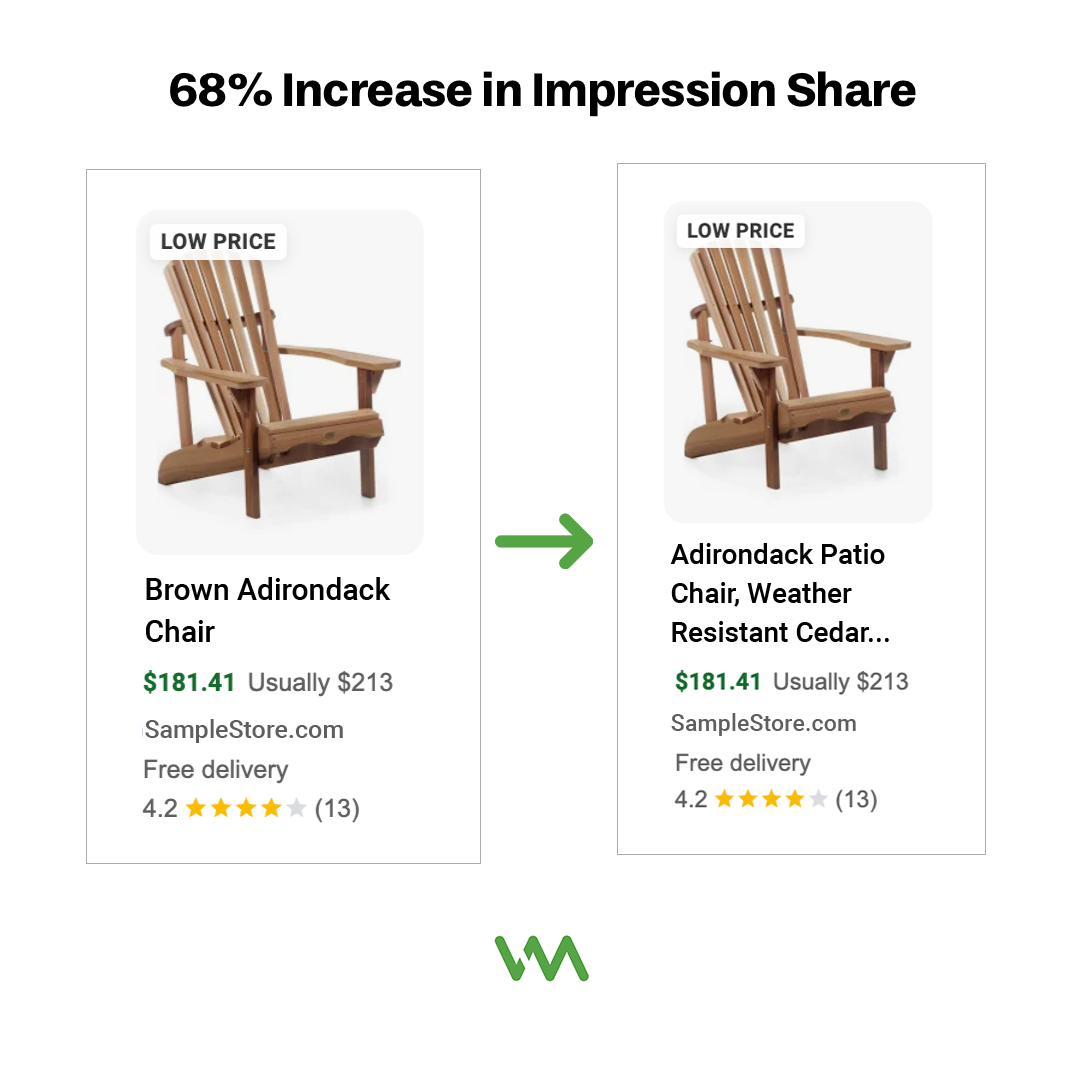
Let me give you a real example. We had a client selling outdoor furniture with generic product titles like "Brown Adirondack Chair." Their impression share was stuck around 35%. After optimizing their feed with detailed titles like "Adirondack Patio Chair, Weather-Resistant Cedar Wood, Natural Brown Finish," their impression share jumped to 68% within three weeks - without changing their bids at all.
Impact on Relevance and Click-Through Rate
Product data quality doesn't just affect whether your ads show - it affects whether people click on them.
Accurate titles equal showing for the right searches. Google uses your product title as the primary signal for matching your products to search queries. If your title is vague or missing key information, you'll either show up for irrelevant searches (wasting money) or miss relevant searches entirely (missing opportunities).
A good title includes the brand, product type, key features, color, size, and material - in that order of importance. Compare these two titles:
- "Shoes - Nike" (bad)
- "Nike Air Zoom Pegasus 40 Women's Running Shoes - Black/White - Size 8.5" (good)
The second title will show for far more relevant searches and get higher click-through rates because shoppers can see exactly what they're clicking on.
Detailed descriptions improve matching to customer intent. While titles are most important, Google also uses your description to understand context. If someone searches for "running shoes for flat feet," a description that mentions "designed for overpronators with flat arches" will match better than a generic description about "comfortable athletic footwear."
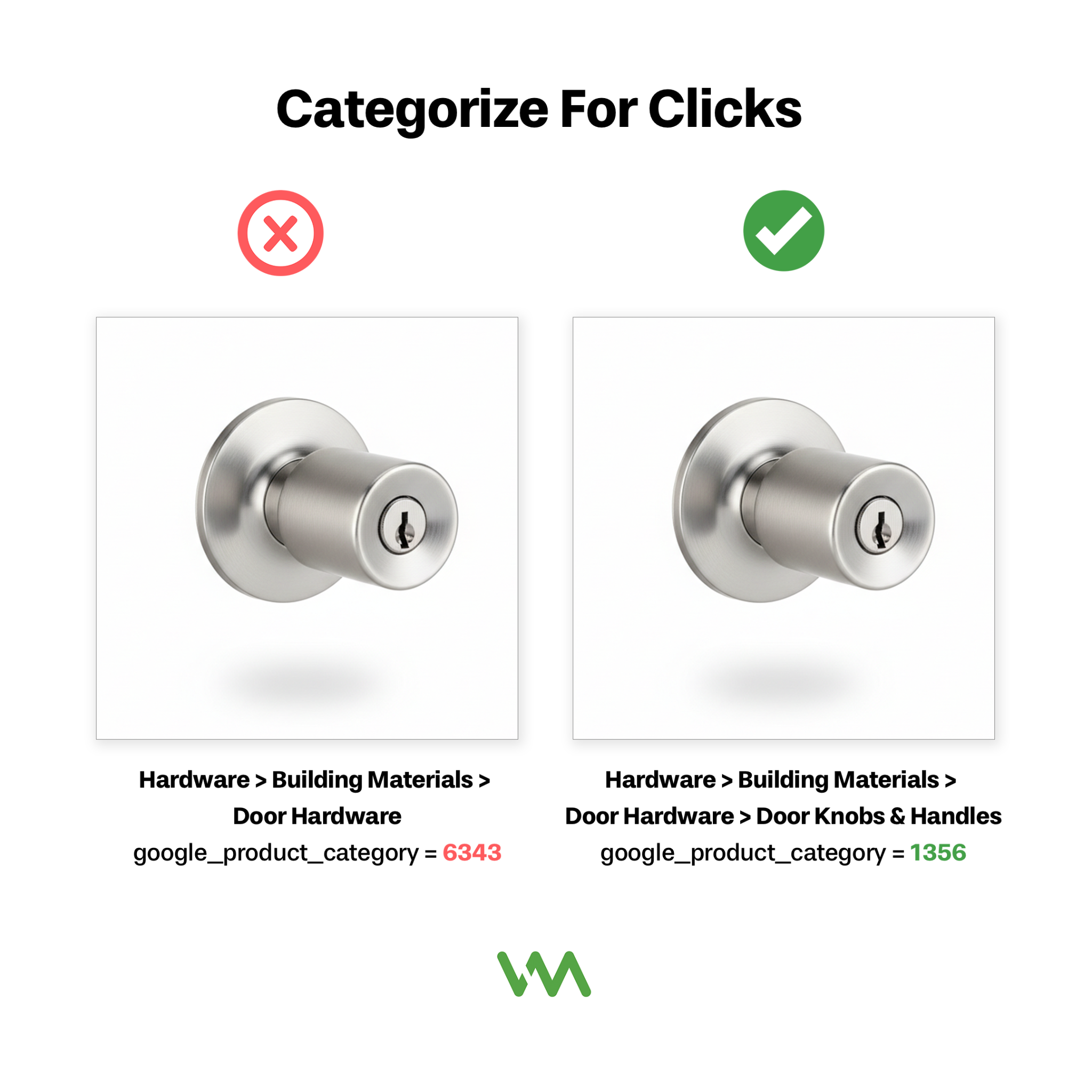
Correct categorization means appearing in relevant filters. When shoppers use Google Shopping's category filters or browse by category, proper categorization ensures your products show up. A dress listed in "Clothing > Tops" instead of "Clothing > Dresses" will miss every shopper filtering for dresses.
This affects your click-through rate because people who find you through proper categorization are more qualified leads. They've already narrowed down what they want, making them more likely to click and convert.
The Revenue Impact of Specific Data Fields
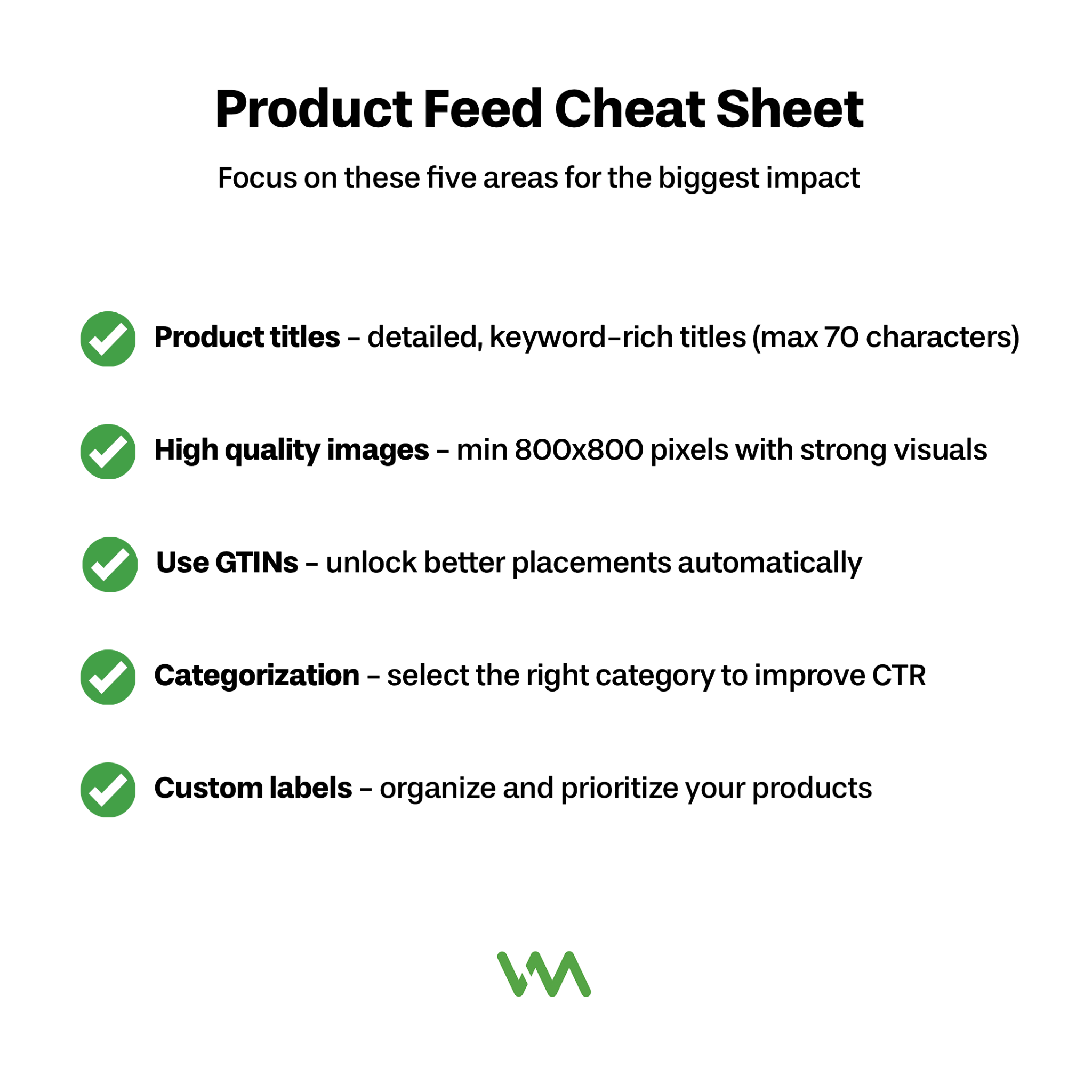
Not all feed fields are created equal. Some have an outsized impact on performance.
Product titles are the single most important field for performance. We've seen 20-30% swings in click-through rate just from title optimization. Invest time in creating detailed, keyword-rich titles that accurately describe each product. Front-load the most important information since only the first 70 characters typically show in the ad.
High-quality images drive clicks more than almost anything else. Shopping is a visual experience, and your image is competing with dozens of other products on the same page. Use high-resolution images (at least 800x800 pixels), show the product clearly, and use multiple images if your category allows it. Products with better images consistently see 15-25% higher click-through rates in our experience.
GTINs unlock better placements and features. When you include GTINs (barcodes/UPCs), Google can match your products to their product database. This enables features like automatic price comparisons, showing customer reviews from multiple retailers, and better placement in Shopping results. Products with GTINs typically get better visibility and more trust signals from shoppers.
Product types and categories affect who sees your ads. Google's taxonomy (google_product_category) tells Google's algorithm where your product fits in their catalog. Your custom product_type field helps you organize products for bidding and reporting. Together, these fields determine which searches, categories, and audiences see your products.
Custom labels enable better bid strategies. Custom labels let you tag products with business-specific attributes like margin, seasonality, bestseller status, or clearance. These don't directly affect ad serving, but they enable you to bid more aggressively on high-margin products or reduce bids on clearance items. This optimization can dramatically improve your ROAS.
Common Data Accuracy Problems and Their Costs
Let's talk about what bad data actually costs you in dollars and cents.
Outdated pricing wastes budget and frustrates customers. Imagine you're running a sale where everything is 20% off, but your feed still shows full prices. Shoppers see your ad with the higher price, compare it to competitors with lower prices, and don't click. Or worse - they click expecting one price but see a different price on your site and bounce immediately. Either way, you're hemorrhaging money.
We had a client lose nearly $2,000 in ad spend over a weekend because their feed didn't reflect a site-wide sale. Their clicks dropped 60% because their advertised prices were higher than competitors. When we updated the feed Monday morning, performance immediately recovered.
Out-of-stock items still being advertised is pure waste. You're paying for clicks that can never convert. If 15% of your products are out of stock and your feed doesn't reflect that, you're essentially throwing away 15% of your budget. At $3,000/month in spend, that's $450 wasted every single month.
Generic or duplicate titles cause poor visibility in crowded markets. If you sell phone cases and your titles are all "Phone Case - [Color]", you're getting destroyed by competitors with titles like "iPhone 15 Pro Max Case, Military Grade Drop Protection, Slim Clear Design with MagSafe." Your products simply won't show up for the specific searches that drive conversions.
Missing size and color variants means losing specific searches. Someone searching for "women's red dress size 12" is ready to buy. If your feed doesn't specify that information, you won't show up for that search even if you have exactly what they're looking for. Multiply this across thousands of search variations, and you're leaving massive amounts of revenue on the table.
Maintaining Data Accuracy
Data accuracy isn't a one-time project - it's an ongoing commitment.
How often should you update your feed? It depends on how frequently your data changes. If you have daily price changes or high inventory turnover, you should update at least once per day. Many of our e-commerce clients update every 2-4 hours using automated feeds. At minimum, update at least once per day to catch pricing and inventory changes.
Automated versus manual feed management is a critical decision. Manual feeds (uploading a spreadsheet) might work for small catalogs under 100 products, but they're error-prone and time-intensive. Automated feeds that pull directly from your e-commerce platform are far more reliable and keep your data fresh. Most modern platforms (Shopify, WooCommerce, BigCommerce) have built-in Merchant Center integrations or plugins that handle this automatically.
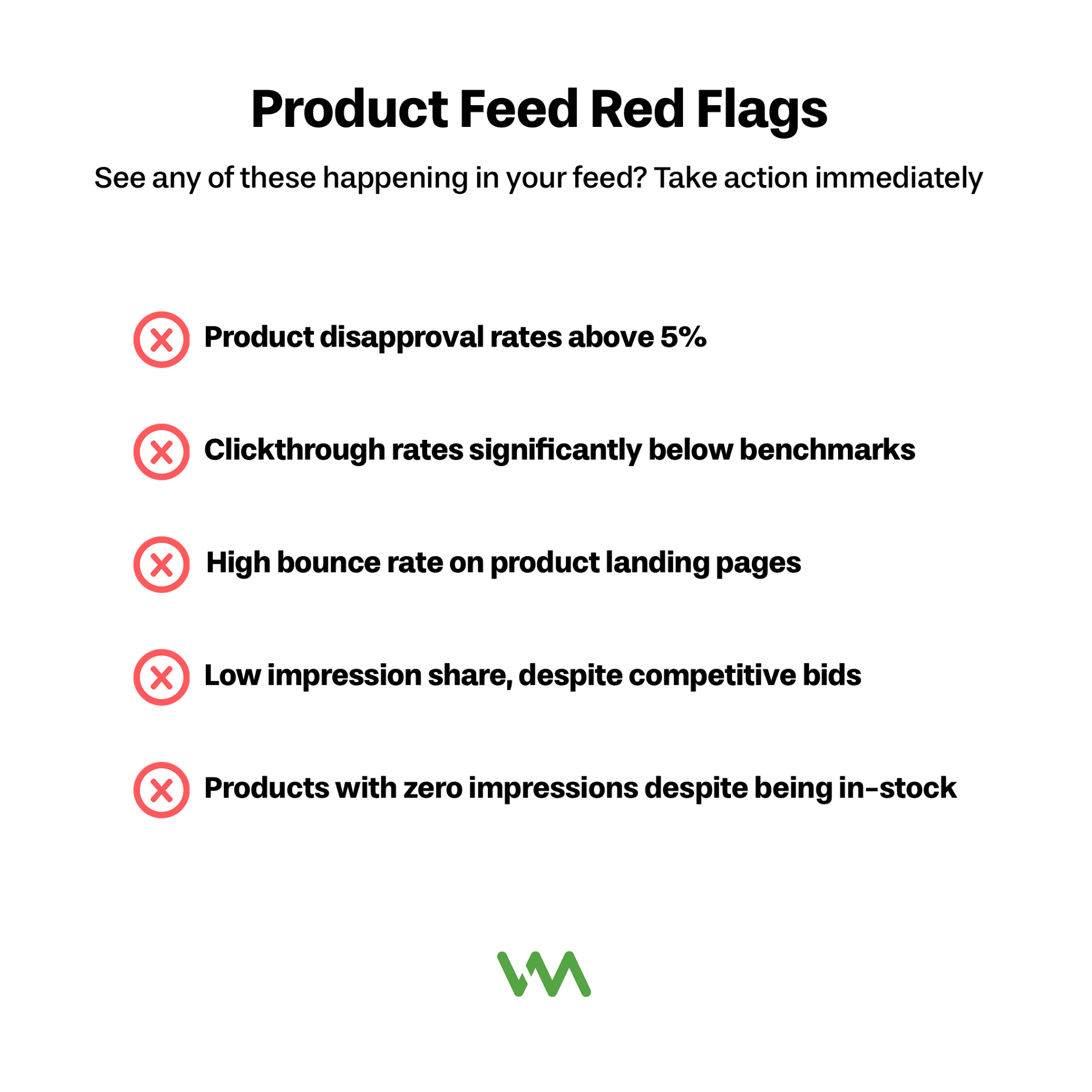
Key performance indicators that signal data issues include:
- Disapproval rates above 5%
- Click-through rates significantly below industry benchmarks
- High bounce rates on product landing pages
- Low impression share despite competitive bids
- Products with zero impressions despite being in stock
If you're seeing any of these red flags, audit your feed quality before throwing more money at the problem.
Questions to ask your agency about feed health:
- How often is our feed updating?
- What's our current product disapproval rate?
- Are we using all recommended attributes for our product category?
- How does our click-through rate compare to benchmarks?
- What percentage of our products have zero impressions?
A good agency should be monitoring these metrics proactively and alerting you to issues before they become expensive problems.
Data Quality Is a Competitive Advantage
Here's the bottom line: data quality is an ongoing investment, not a one-time setup. Your competitors are constantly improving their feeds, adding new products, and optimizing their data. If you're not doing the same, you're falling behind.
The businesses that treat their product feed as a strategic asset rather than a technical checkbox consistently outperform those that don't. Better data means more visibility, higher click-through rates, better qualified traffic, and ultimately more sales at a lower cost.
Think of your product feed as the foundation of your entire Shopping campaign. You can have the perfect bidding strategy, beautiful landing pages, and an amazing product - but if your data quality is poor, none of that matters because shoppers never see your ads in the first place.
Ready to audit your product feed and identify opportunities to improve your campaign performance? Schedule a consultation with our team and we'll show you exactly where your feed is costing you money and how to fix it.
