

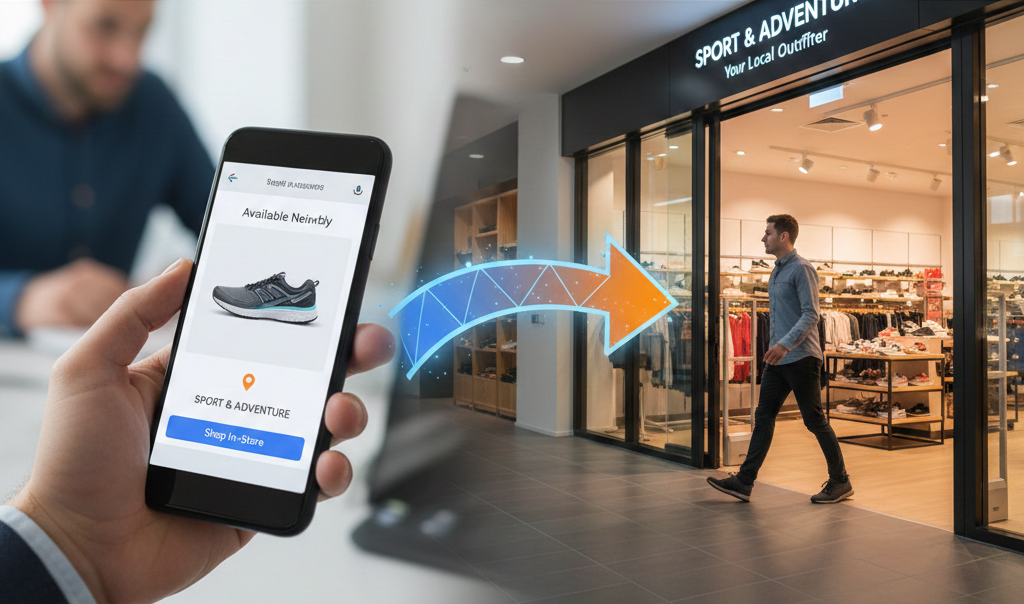
Here's a statistic that should get your attention: 76% of people who search for something nearby visit a store within 24 hours. Another 28% of those searches result in a purchase.
Despite the rise of e-commerce, local shopping is still massive. The problem most retailers face isn't that people don't want to shop locally - it's that shoppers don't know what's actually in stock at nearby stores. They're researching online and buying in person, but there's a disconnect in between.
Enter Local Inventory Ads (LIAs). This feature of Google Shopping campaigns bridges the gap between online research and in-store purchases by showing your physical store inventory directly in Google Shopping results. For businesses with both e-commerce and brick-and-mortar locations, LIAs can be a game-changer.
Let me walk you through what they are, how they work, and whether they're right for your business.
What Are Local Inventory Ads?

Local Inventory Ads are a specialized type of Google Shopping ad that shows products available for purchase at your nearby physical stores. Unlike standard Shopping ads that drive traffic to your website, LIAs highlight that a product is available in-store near the searcher's location.
How are local inventory ads different from Shopping ads?
When someone views a LIA, they see a prominent "In store" or “Curbside” badge along with store information. The ad shows which of your locations has the item in stock, the store address, hours, and a link to get directions. Shoppers can either call, visit, or in some cases, reserve the item for pickup.
What does a properly set up local inventory ad look like?
The shopping experience is designed to reduce friction. Someone searching for "coffee maker near me" sees your ad with "In store at Verde Electronics - Sterling Heights" along with your product image, price, and availability. They can click for more details, get directions, or call the store directly from the ad.
Where do local inventory ads show up?
These ads appear across Google Search results, Google Maps, and the Shopping tab. The placement depends on search intent - if someone includes location indicators like "near me," "in stock," or searches from a mobile device, LIAs get priority. They also appear prominently in map pack results when someone is explicitly looking for local retailers.
Why Local Inventory Ads Matter for Your Business
.gif)
If you have physical stores, LIAs solve several problems at once.
Solution 1: Capturing "near me" and local intent searches
These searches have exploded with mobile usage. When someone searches "running shoes near me" or "where to buy coffee maker in Sterling Heights," they're ready to buy today - they just need to know where to go. LIAs put your store in front of these high-intent shoppers.
Solution 2: Reducing "is it in stock?" phone calls
How many calls does your staff handle each day asking if specific items are in stock? LIAs answer that question before the customer picks up the phone, freeing your team to focus on customers who are actually in the store.
Solution 3: Leveling the playing field with with big-box retailers on local availability
Home Depot and Best Buy have been using LIAs aggressively for years. If you're an independent retailer and not using LIAs, you're invisible to local shoppers who are comparison shopping online before visiting a store. You're handing those customers to the big boxes by default.
Solution 4: Driving foot traffic, not just online sales
LIAs don't replace your standard Shopping campaigns - they complement them. Some customers want to order online and wait for shipping. Others want to see, touch, and take home the product today. LIAs capture that second group.
Solution 5: A critical piece in the overall omnichannel customer journey
They might research on their laptop at work, search on their phone during lunch to see what's in stock locally, then visit your store after work to make the purchase. LIAs connect these touchpoints by making your local inventory searchable during the research phase.
Requirements for Running Local Inventory Ads
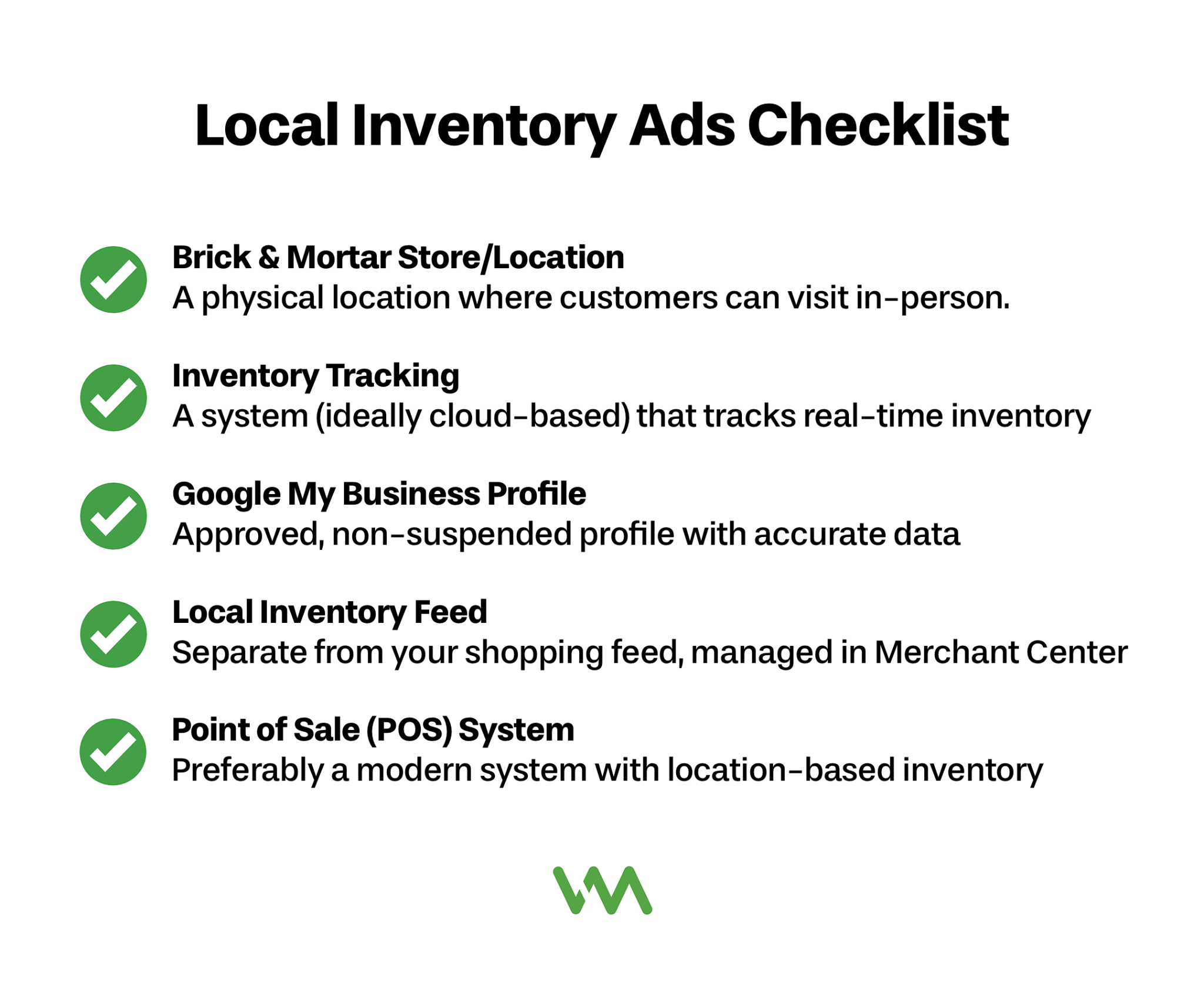
LIAs aren't for every business. Here's what you need:
A physical store
Local inventory ads require a physical store that customers can visit during regular business hours. This seems obvious, but it excludes online-only businesses, pop-ups, or warehouse locations that don't allow customer visits. You need a real retail presence.
In-store inventory tracking
This is critical and often the biggest barrier. You need to know what products are physically in each store location at any given time. If your inventory tracking is manual, inconsistent, or only accurate at the end of each month, LIAs won't work reliably.
Google Business Profile
A Google My Business profile is required for each of your locations. Your stores need to be verified in Google Business Profile (formerly Google My Business) with accurate addresses, hours, and business information. LIAs pull store data from your Business Profile, so this needs to be set up before you can launch LIAs.
Local product inventory feed
This is a separate feed from your main product feed. This feed includes store-specific information like which location has which products in stock and at what price. It's more complex than a standard product feed because it adds the dimension of location.
Point-of-sale or inventory management system integration
This is what ties everything together. You need a way to automatically export your inventory data by location. Most modern POS systems (Square, Shopify POS, Lightspeed, etc.) can do this, but older systems might require custom development or manual processes that make LIAs impractical.
The Technical Side of Local Inventory Ads
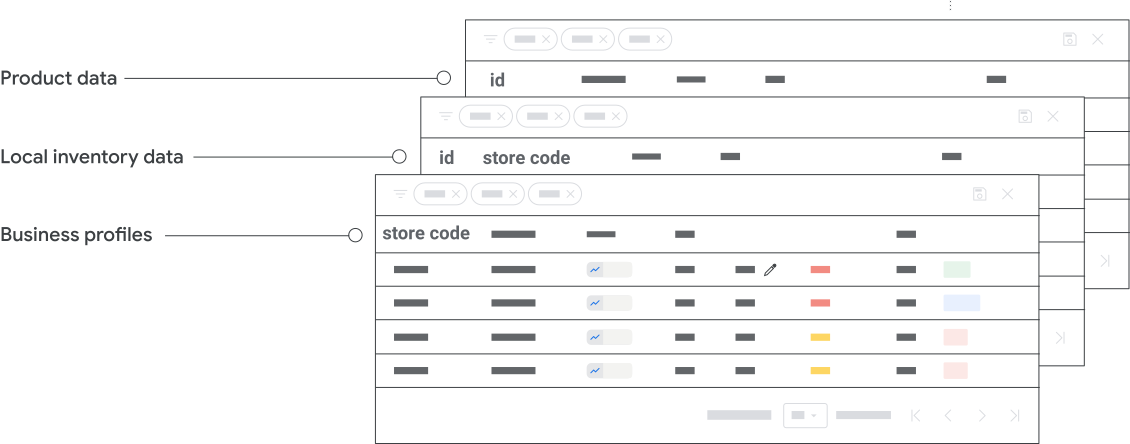
Let's get into the technical setup - understanding this helps you assess whether LIAs are feasible for your business.
Setting up your Local Inventory Feed
The local product inventory feed is different from your standard feed in a few key ways. Your regular product feed includes attributes like title, description, price, and link. Your local inventory feed adds store_code (which identifies the specific location), quantity (how many are in stock), sale_price_effective_date (for location-specific sales), and pickup_method (whether the item can be reserved, bought online for pickup, etc.).
Assigning a store_code to each of your locations
You assign each of your physical locations a unique store_code (like "DETROIT-DOWNTOWN" or "ANN-ARBOR-01"). Then, in your local inventory feed, each product line includes the store_code for where that item is available. This tells Google that Store A has Product X in stock while Store B doesn't.
“Real-time” inventory syncing
Most businesses update their local inventory feed every 2-4 hours. Some large retailers update every 30 minutes. The key is finding a balance between accuracy and technical feasibility. If your inventory changes rapidly, more frequent updates prevent overselling. If it's relatively stable, less frequent updates are fine.
Price matching between online and in-store
Price matching is usually required, though location-specific pricing is possible if your POS supports it. If a product costs $50 online but $45 in-store, you can reflect that in your feed. However, having drastically different prices between channels can confuse customers and hurt trust.
Running LIAs and Shopping ads at the same time
You'll typically run both simultaneously. Standard Shopping ads drive e-commerce sales. LIAs drive store visits. Google's algorithm shows LIAs to users exhibiting local intent and standard Shopping ads to everyone else. They work together to capture customers at different points in the buying journey.
Setting Up for Success
Getting LIAs running successfully requires preparation beyond just the technical setup.
Google Business Profile optimization is your foundation. Each store location needs a complete, accurate profile with correct hours (including holiday hours), good photos of the storefront and interior, response to reviews, and all business information filled out. The quality of your Business Profile affects whether your LIAs show prominently.
Inventory data accuracy is your biggest challenge. This is where most LIA campaigns fail. If your feed says a product is in stock but customers arrive to find it's not available, they'll be frustrated and you'll get negative reviews. Google also monitors this - if your inventory data is consistently inaccurate, your LIAs can be disapproved. Invest in whatever systems or processes necessary to keep your inventory data as accurate as possible.
Multi-location management considerations get complex fast. If you have 5 locations, managing local inventory is doable. At 20 locations, you need solid automation. At 100+ locations, you need enterprise-grade systems. Think carefully about whether you can realistically maintain accurate inventory data across all your locations before launching LIAs.
Integration options range from manual to fully automated. Manual setup means exporting inventory reports from your POS and uploading them to Merchant Center. This works for very small businesses but doesn't scale. Semi-automated means using a middleware tool that connects your POS to Merchant Center. Fully automated means direct API integration where inventory updates flow automatically. Most businesses need at least semi-automated to make LIAs viable.
What your agency needs from you: If you're working with a marketing agency, they'll need access to your inventory data, Google Business Profiles, and POS system (or exports from it). They'll also need to understand your fulfillment processes - can customers reserve items online? Do you offer buy-online-pickup-in-store? Are returns handled the same at all locations? This operational context is essential for setting up LIAs correctly.
Measuring Local Inventory Ads Performance
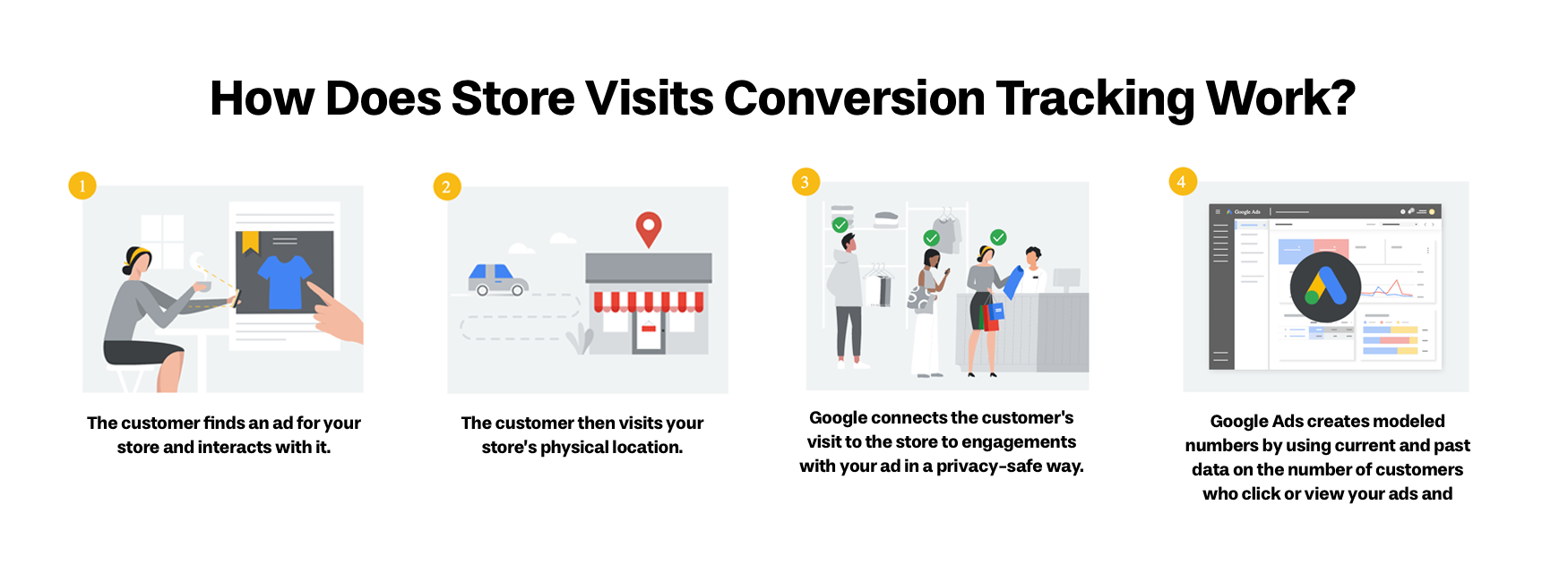
Measuring LIAs is trickier than measuring e-commerce campaigns because the conversion happens offline.
Online-to-offline measurement challenges are real. When someone clicks your LIA and visits your store, how do you know the ad drove that visit? Google has solutions, but they're not perfect. Understanding the measurement limitations helps set realistic expectations.
Store visits reporting in Google Ads uses location data from users who have opted into location history on their devices. Google can see when someone clicked your ad and then visited your store location within a certain timeframe. This gives you an estimated store visits metric in your Google Ads reporting. It's not 100% accurate (not everyone opts into location tracking), but it's directionally correct for measuring impact.
Tracking in-store conversions requires additional setup. The most reliable method is to create unique coupon codes or QR codes that appear in your LIAs, then track when those are redeemed in-store. This gives you concrete conversion data but requires cooperation from your in-store staff. Another method is surveying customers at checkout asking how they heard about your store.
Attribution challenges with understanding the full impact are significant. Many customer journeys involve multiple touchpoints. They might see your LIA on Monday, visit on Wednesday, but not buy until Saturday after thinking about it. Standard attribution models struggle with these delayed conversions. You're often making decisions based on directional data rather than precise numbers.
KPIs that matter for local retail include:
- Store visits (from Google's reporting)
- Cost per store visit
- Click-to-call conversions (phone calls from the ad)
- Directions requests from the ad
- Total local revenue (requires in-store tracking)
- New vs. returning customer ratio (if you can track this)
Focus on the metrics you can actually measure reliably. For many businesses, the combination of store visits data and overall store revenue trends is sufficient to understand whether LIAs are working.
Is This Right for Your Business?
Let's be honest about who benefits most from Local Inventory Ads.
Best fit scenarios include retailers with:
- Multiple locations or a single high-traffic location
- Products that people want to see/touch before buying
- Strong local competition from big-box stores
- Reliable, real-time inventory tracking systems
- Adequate staffing to handle increased foot traffic
- Products with decent margins to support local-focused advertising
Categories that typically perform well include home improvement, electronics, furniture, sporting goods, musical instruments, appliances, and automotive parts. These are considered purchases where customers often prefer to see products in person or need them immediately.
Resource requirements beyond ad spend include time to manage inventory feeds, technical resources to set up integrations, staff training on LIA-driven customers, and ongoing monitoring of inventory accuracy. Don't underestimate the operational lift - LIAs aren't just a marketing initiative, they require cross-functional coordination.
Cost considerations include both ad spend (typically starting around $500-1,000/month minimum to see meaningful results) and the operational costs of maintaining accurate inventory data. Factor in any POS upgrades, middleware tools, or staff time needed for setup and maintenance.
Starting small is smart. Test with select locations or products before rolling out to your entire inventory and all locations. Pick your best-performing store or your most popular products to prove the concept. Measure results for 60-90 days before expanding.
Questions to discuss with your agency:
- Do we have the technical capability to maintain accurate inventory feeds?
- What's the setup timeline and cost?
- How will we measure success given the online-to-offline attribution challenges?
- Should we start with all locations or test with a subset?
- What's the minimum ad budget needed to generate meaningful traffic?
The Future of Local Retail is Omnichannel
Local Inventory Ads represent the future of retail - blending online discovery with offline purchasing. Customers increasingly expect to research online and shop locally, and LIAs make that possible.
For businesses with physical locations, the question isn't whether online shopping will replace in-store shopping (it won't for most categories). The question is whether you'll be visible when local shoppers are making decisions about where to visit.
Your competitors are likely already using LIAs. Big chains almost certainly are. The independent retailers who've adopted LIAs have seen meaningful increases in store traffic and local sales. Those who haven't are slowly becoming invisible to the growing number of shoppers who start their journey online.
The key is inventory accuracy. If you can solve that challenge - either through better systems, better processes, or both - Local Inventory Ads can become a significant driver of store traffic and local revenue.
Ready to explore whether Local Inventory Ads make sense for your business? Schedule a consultation with our team and we'll help you assess your readiness and map out an implementation plan.
