


Numbers not adding up?
We hear these types of questions all the time: “Why does Google Analytics say I had X visitors while Facebook says I have Y landing page views?” or “Why does GA4 and my eCommerce store show dramatically different revenue numbers?”
Sound like you? You’re not alone. This is the reality for most business owners today.
While you’re busy running your business, something invisible has been quietly sabotaging your marketing data. Your tracking systems—the digital tools that tell you which of your marketing channels actually work—have been slowly breaking down due to privacy updates that you might have missed.
Studies show that businesses are losing 20-40% of their conversion tracking data without realizing it. They're making marketing decisions based on incomplete information, like trying to drive while wearing a blindfold.
The question isn't whether this crisis is affecting your business. The question is whether you'll fix your tracking before or after your competitors do.
What Broke Your Tracking?
Traditional website tracking works like having security cameras scattered around your store, each one operated by different companies. One camera (Google Analytics) watches foot traffic, another (Facebook Pixel) monitors which products people look at, and a third (Google Ads) tracks what brought people in.
Here's the problem: all these "cameras" have been installed in your customers' phones and computers (called client-side tracking). Recent privacy updates are like customers walking into your store wearing masks and hats that block the cameras—the tracking still tries to work, but it can't see clearly anymore.
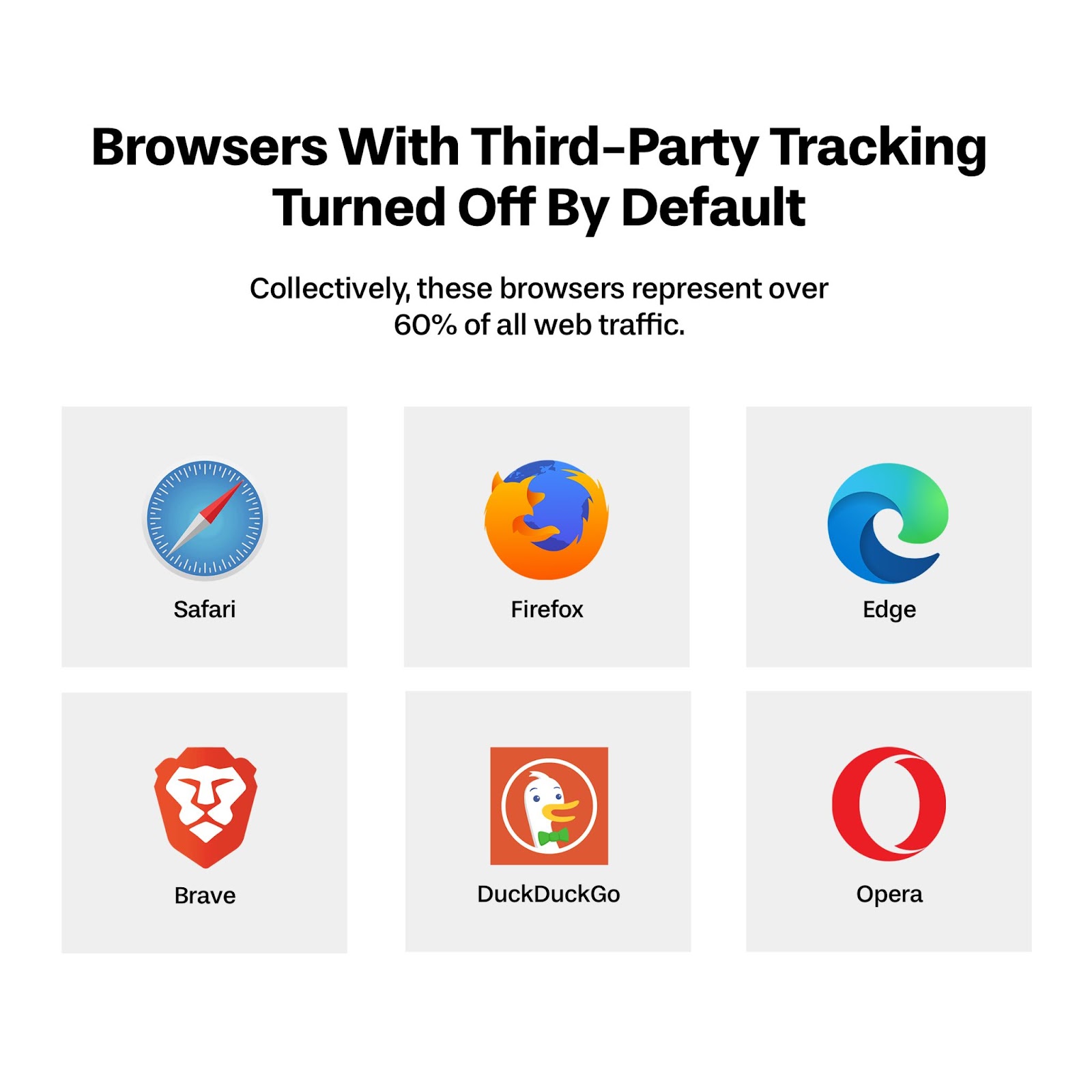
Apple's iOS 14.5 update was the first major blow, followed by Firefox enhancing tracking protection, and privacy-first browsers like DuckDuckGo gaining popularity.
The Hidden Cost to Your Business
This isn't just a technical inconvenience—it's costing you real money. When your tracking is broken:
- You can't optimize ad spending: Advertising platforms like Facebook Ads or Google Ads need accurate data to find your best customers
- Attribution becomes guesswork: You don't know which marketing channels actually work
- Customer journey insights disappear: You lose understanding of how people find and buy from you
- Conversion tracking drops dramatically: Sales happen, but your systems don't record them properly
Why This Crisis Threatens Your Business
You're Flying Blind
Imagine running a restaurant where your cash register randomly stopped recording 30% of sales. You'd still get the money, but your books would show lower revenue. You might think Tuesday lunch was slow when it was actually your busiest day.
This is exactly what's happening with your marketing data. You're making decisions about where to spend your advertising budget based on incomplete information. You might kill a successful campaign because the tracking makes it look ineffective, or double down on a campaign that's actually losing money.
The Competitive Disadvantage
While you're struggling with broken attribution data, businesses that have implemented server-side tracking are getting clear, accurate insights. They know exactly:
- Which social media posts drive the most sales
- What time of day their ads perform best
- Which email sequences convert prospects into customers
- How much each marketing channel really contributes to revenue
They're making data-driven decisions while you're making educated guesses. Over time, this accuracy advantage compounds into a significant competitive edge.
The Solution: Server-Side Tagging
What Is Server-Side Tagging?
Instead of relying on your customers' devices to send tracking data (which gets blocked), server-side tagging moves this process to your own secure server. Think of it as replacing those unreliable security cameras with a professional security system that works regardless of what customers wear.

When someone visits your website, instead of their browser sending data directly to Google, Facebook, and other platforms, all the information first goes to your server. Your server then securely and reliably forwards the relevant data to each platform.
The Benefits Are Immediate
- More Accurate Data: No more lost conversions or mysterious attribution gaps
- Better Page Speed: Less code running in browsers means faster-loading websites
- Privacy Compliant: Works within all major privacy regulations
- Future-Proof: Unaffected by browser updates or privacy changes
- Enhanced Control: You decide what data gets shared with which platforms
The Top Three Alternatives for Implementing Server-Side Tracking
Before diving into the technical setup, it's important to understand your options. Different businesses have different technical comfort levels and budgets, so here are the three most popular approaches to implementing server-side tracking:
Option 1: Stape.io (Managed Service - Easiest)
Best for: Business owners who want a "done-for-you" solution with minimal technical involvement.
Stape.io is a specialized service that handles all the server-side infrastructure for you. Think of it as hiring a professional to manage your tracking setup instead of doing it yourself. They provide pre-configured servers optimized specifically for Google Tag Manager server-side containers.
- Pros: Zero technical setup, automatic updates, optimized performance, customer support
- Cons: Higher monthly cost ($29-99/month), less control over infrastructure
- Time to implement: 1-2 hours
Quick How-To:
- Sign up at Stape.io and choose your plan based on monthly traffic
- Create your GTM server-side container and copy the container ID
- Paste the container ID into Stape's dashboard - they handle the deployment
- Update your website's GTM client container to send data to Stape's server URL
- Configure your server-side tags (Google Analytics, Facebook, etc.) within GTM
Stape handles all the server management, scaling, and maintenance automatically. This is the premium option that gets you up and running fastest with the least technical knowledge required.
Option 2: Google Tag Manager + Google Cloud Platform (Official Solution)
Best for: Businesses that prefer using Google's official infrastructure and have some technical resources.
This is Google's recommended approach using their own cloud infrastructure. Google Cloud Platform (GCP) provides robust, scalable hosting that's designed specifically for GTM server-side containers.
- Pros: Official Google support, enterprise-grade reliability, detailed documentation
- Cons: More complex setup, variable pricing based on usage, requires Google Cloud knowledge
- Time to implement: 4-6 hours
Quick How-To:
- Set up a Google Cloud Platform account and enable billing
- Create a new project and enable the necessary APIs
- Deploy the GTM server-side container using Google's App Engine template
- Configure your custom domain and SSL certificate
- Update your client-side GTM to point to your new server endpoint
- Migrate your tracking tags to server-side configuration
Google provides step-by-step documentation and templates, but you'll need to be comfortable navigating cloud platform interfaces and basic server configuration.
Option 3: Google Tag Manager + Cloudflare (Cost-Effective DIY)
Best for: Budget-conscious businesses willing to invest time in learning the setup process.
This approach uses Cloudflare Workers to host your server-side tracking infrastructure. It's the most cost-effective option while still providing enterprise-level performance and reliability.
- Pros: Very low monthly cost ($20-50), high performance, learning experience
- Cons: Requires more hands-on setup, limited official support, steeper learning curve
- Time to implement: 6-8 hours
Quick How-To:
- Set up Cloudflare account and add your domain
- Enable Cloudflare Workers (unlimited plan recommended at $5/month)
- Create GTM server-side container and download the deployment files
- Deploy the container to Cloudflare Workers using their dashboard or CLI
- Configure your subdomain (like data.yourdomain.com) to point to the worker
- Test the setup and migrate your tracking tags to server-side
This option requires the most technical involvement but offers the best learning experience and lowest ongoing costs.
Addressing Common Concerns
"It Sounds Too Technical"
Modern server-side tagging is designed for business owners, not just developers. Google Tag Manager provides visual interfaces for most configurations. Cloudflare Workers handles the technical infrastructure automatically. You're essentially following step-by-step guides rather than writing code.
The learning curve exists, but it's manageable—similar to learning any new business software. The alternative is continuing to make marketing decisions with incomplete data, which is far more costly than a few hours of learning.
"What If Something Breaks?"
Server-side tracking actually provides better reliability than traditional client-side tracking. You can test everything before going live, run parallel systems during transition, and easily roll back if needed. Most importantly, server-side systems aren't affected by browser updates that regularly break traditional tracking.
"Is the Investment Worth It?"
Consider the cost of making marketing decisions with 30% missing data. If you spend $2,000 monthly on advertising, server-side tracking could easily save you $500+ monthly by improving targeting and attribution accuracy. The $20-50 monthly cost pays for itself many times over.
Don't Wait for Perfect
Server-side tagging isn't a nice-to-have anymore—it's essential infrastructure for any business serious about digital marketing. While the initial setup requires some effort, the alternative is continuing to make critical business decisions with incomplete, inaccurate data.
Your competitors who implement this first will have clear visibility into what marketing actually works while you're still guessing. They'll optimize their ad spend more effectively, understand their customers better, and make data-driven decisions that drive real growth.
The future of marketing analytics is server-side, privacy-compliant, and happening right now. Make sure your business is part of it.
