


Here's a scenario that probably sounds familiar: you're spending $3,000, $5,000, maybe $10,000 a month on Google Ads, and the leads are... fine. Some good ones. Some junk. Some mystery form fills that go nowhere. You know the budget could be working harder, but you're not sure where the waste is. What if we told you that a good chunk of your ad spend is probably going to people who were never going to convert in the first place — and that there's a tool sitting inside your Google Ads and analytics setup right now that can fix it?
That tool is GA4 Audiences. And most businesses either don't know they exist, or they've never been properly configured.
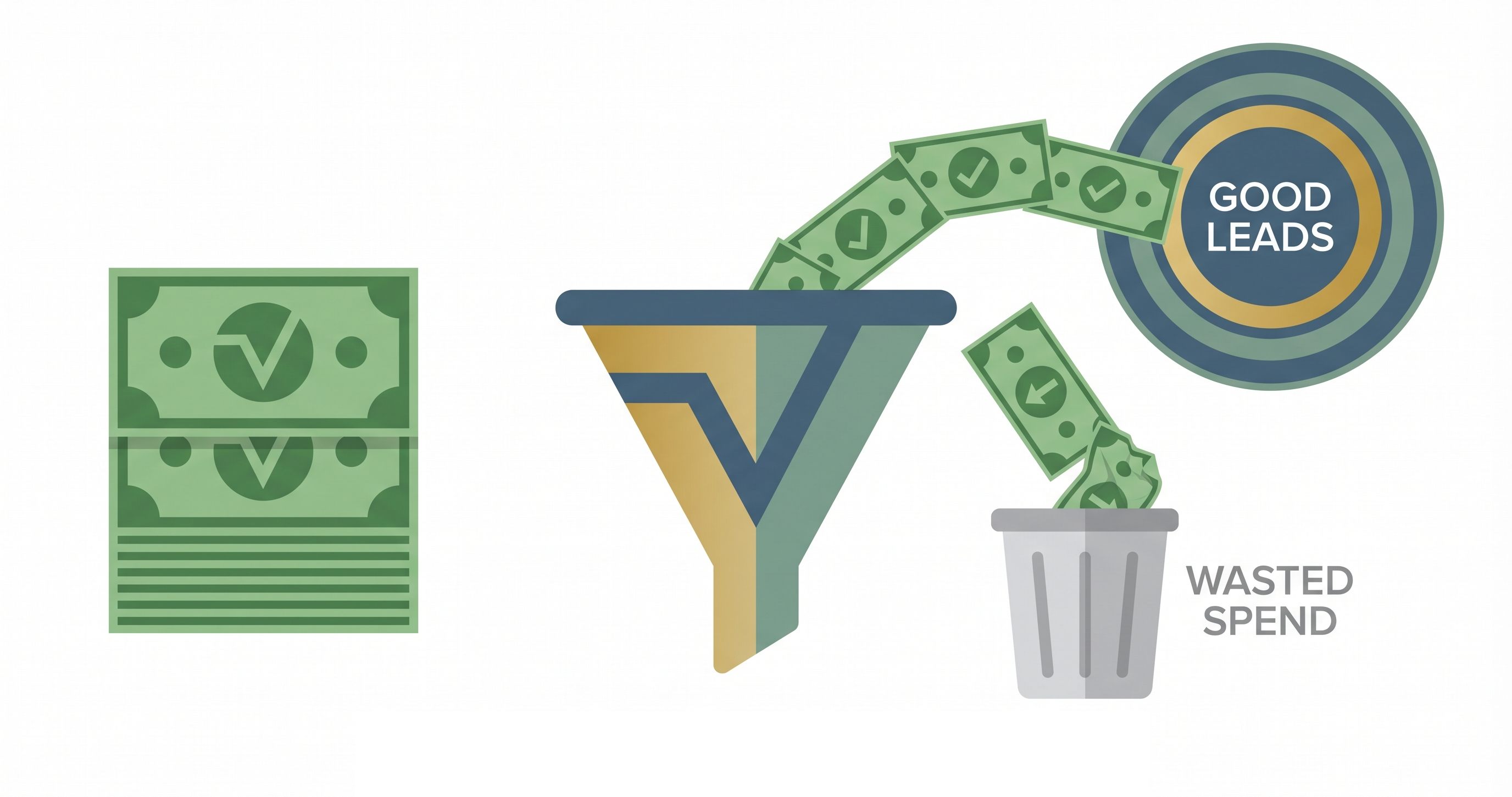
What Are GA4 Audiences, and Why Should You Care?
In simple terms, GA4 audiences are groups of your website visitors that you define based on what they actually do on your site. Unlike basic Google Ads targeting — where you're bidding on keywords and hoping the right people click — GA4 audiences let you get specific about who sees your ads based on real behavior.
Think of it this way: Google Ads keyword targeting is like putting up a billboard on a highway and hoping the right drivers see it. GA4 audiences are more like handing a flyer directly to someone who already walked into your store, looked at your prices, and left without buying. Completely different level of intent.
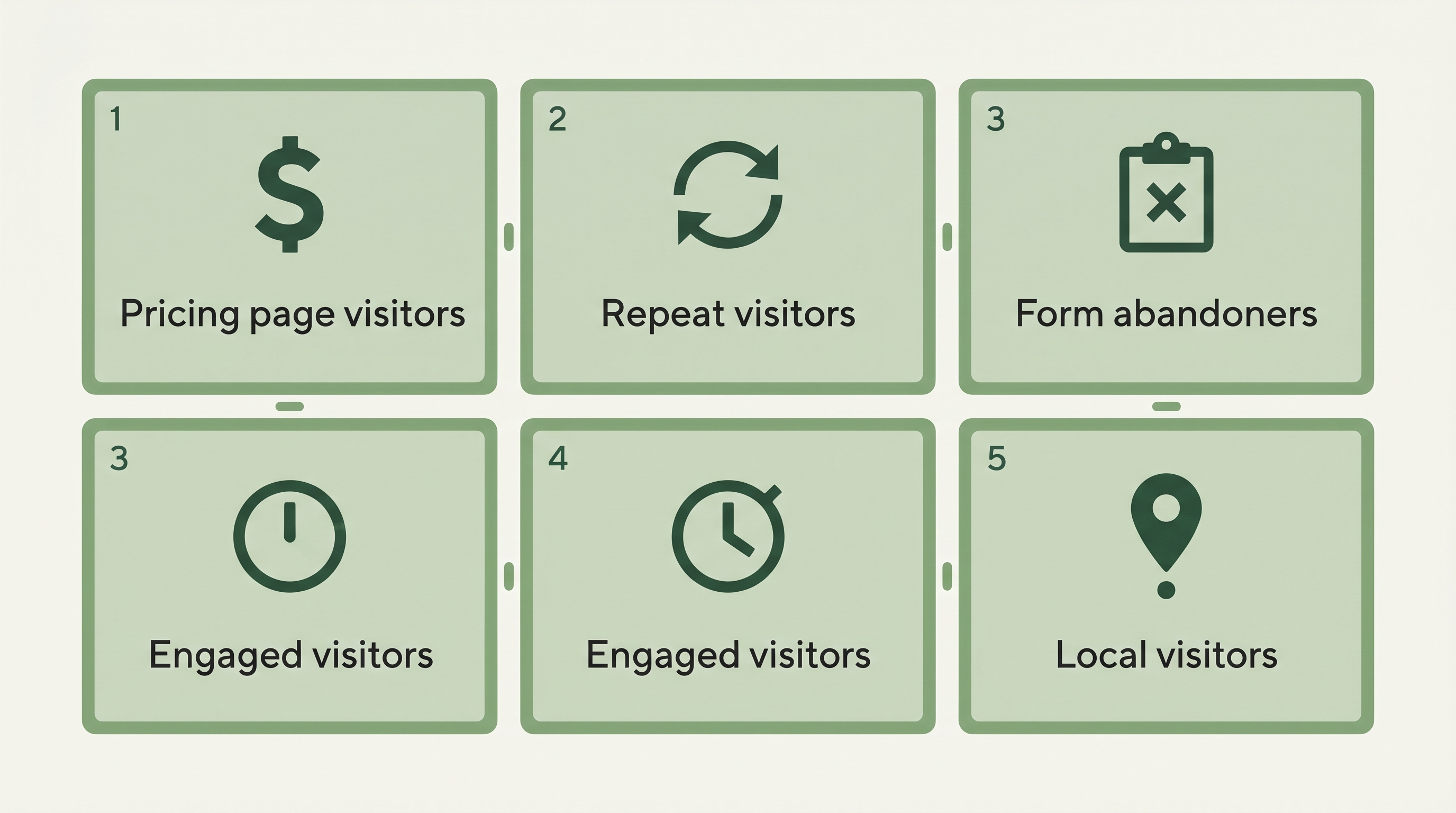
Here are a few examples of audiences you can build in GA4 and push directly into Google Ads:
- People who visited your pricing or services page but didn't fill out a form
- Visitors who came back to your site 3 or more times in the last 30 days
- People who started a checkout or form submission but abandoned it
- Visitors who spent more than 2 minutes on your site (a sign of real interest)
- People who visited from a specific geographic area
These aren't hypothetical. These are audiences GA4 can build right now with data your website is already collecting.
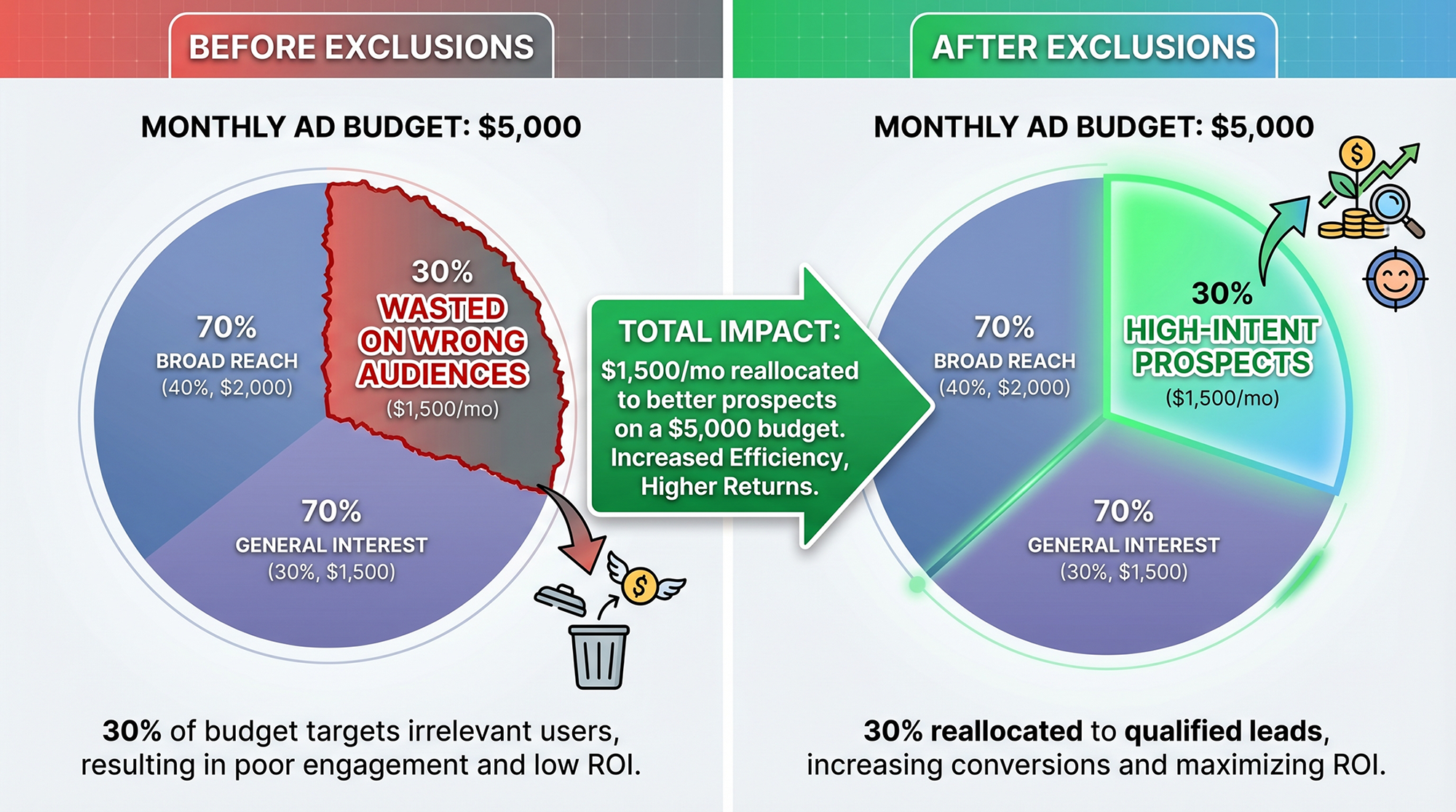
The Power Move Most Businesses Miss: Exclusions
Everyone talks about retargeting — showing ads to people who've already visited your site. And yes, that's powerful. But the real money-saver that almost nobody uses is audience exclusions.
Exclusions tell Google Ads who NOT to show your ads to. And that's just as valuable as knowing who to target.
Think about it: every time your ad shows to someone who already bought from you last week, or someone who bounced off your homepage in three seconds, or a job seeker who landed on your careers page — that's money out of your pocket. You're paying for those clicks, or at the very least, those impressions are eating into your budget's efficiency.
Here are the exclusion audiences we set up for almost every client:
Recent converters. If someone just filled out your contact form or made a purchase, why are you still paying to advertise to them? Build a GA4 audience of users who completed your key conversion event in the last 30 days and exclude them. This one alone can save hundreds of dollars a month depending on your spend.
Bouncers. Visitors who land on your site and leave within 10 seconds probably aren't your target customer. Maybe they clicked by accident, maybe your ad copy attracted the wrong crowd. Either way, retargeting them is throwing money away. Create an audience of users whose engagement time was under 10 seconds and exclude them from your remarketing campaigns.
Existing customers (for lead gen). If you're a service business running lead generation campaigns, you don't need to convert people who are already your customers. If your site has a login portal or a customer-only page, build an audience of users who visited that page and exclude them.
How This Actually Works (Step by Step)
You don't need to be technical to set this up, but you do need to follow the steps in the right order. If your GA4 and Google Ads aren't properly linked, none of this works.
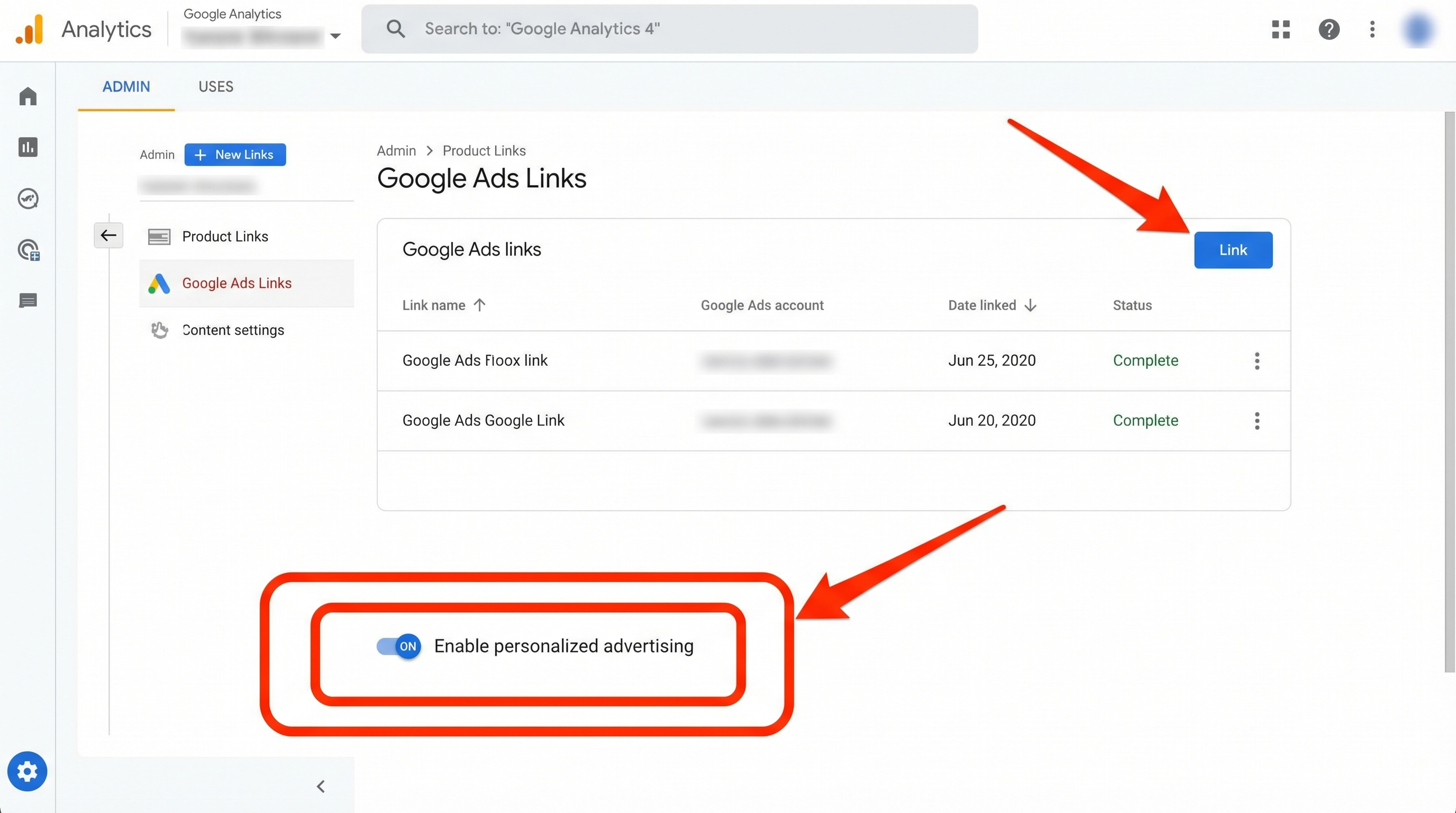
Step 1: Link Your GA4 and Google Ads Accounts
In GA4, go to Admin → Product Links → Google Ads Links and connect your Google Ads account. When you do this, make sure the "Enable personalized advertising" toggle is turned on. Without it, audiences you build in GA4 will stay in GA4 — they won't flow over to Google Ads where you actually need them.
Google's support documentation walks through this process in detail if you need it: Link GA4 and Google Ads.
Step 2: Build Your First Audience
Go to Admin → Audiences → New Audience in GA4. You'll see some suggested templates (Google provides a few starter audiences), but the real value is in custom audiences.
Let's build a high-intent example: people who visited your pricing or contact page but didn't convert.
Set it up like this:
- Include users where
page_locationcontains "/pricing" OR "/contact" - Exclude users who triggered your conversion event (like
form_submitorgenerate_lead) - Membership duration: 30 days (how long someone stays in the audience after qualifying)
That's it. You've just built an audience of your warmest prospects — people who were actively evaluating your services but didn't pull the trigger. These are the people who should see your ads.
Step 3: Apply Audiences in Google Ads
Once the audience is built in GA4, it'll automatically appear in Google Ads within 24–48 hours (assuming your accounts are linked). You can find them in Google Ads under Tools → Shared Library → Audience Manager.
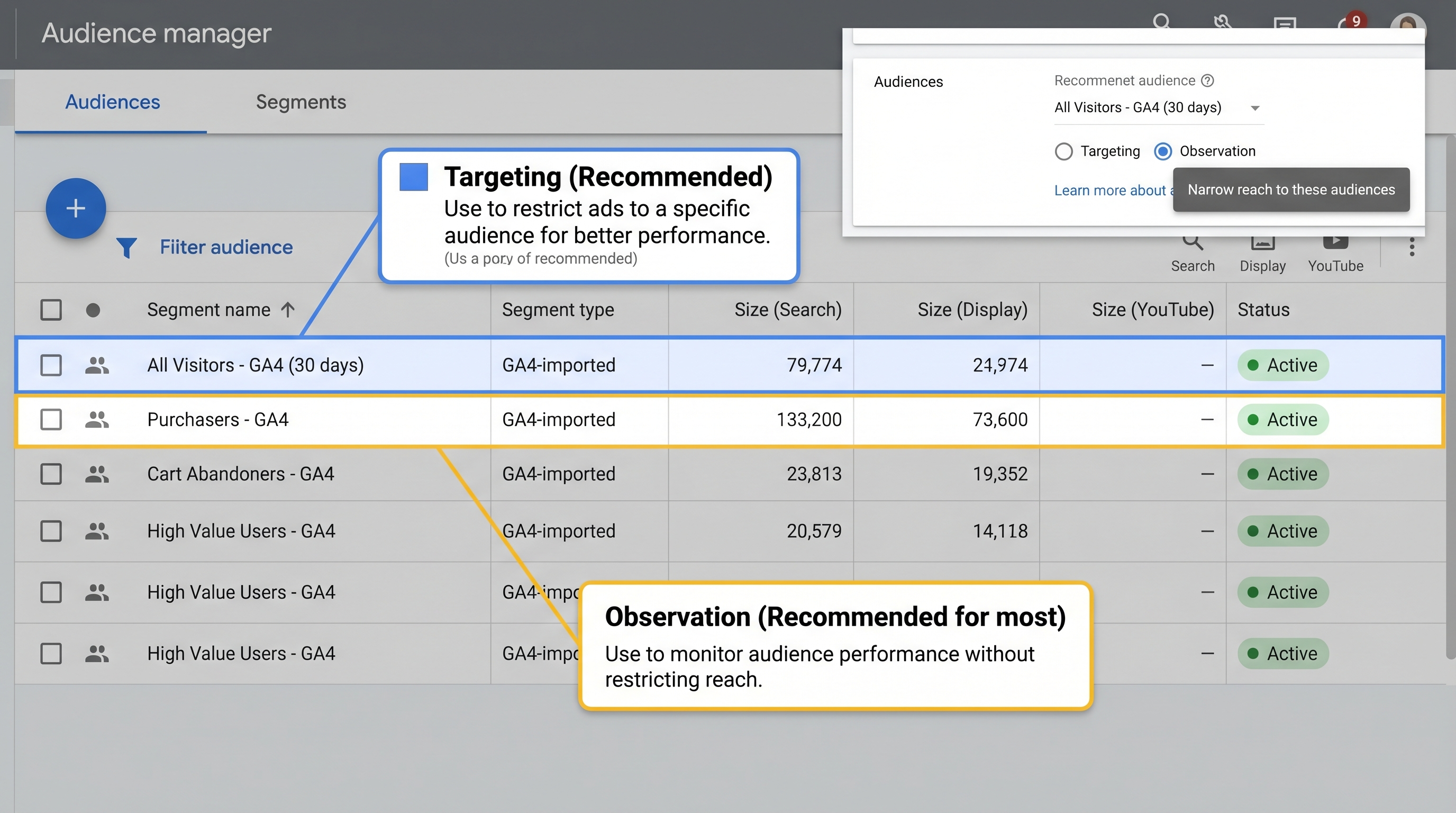
From there, you can add them to specific campaigns or ad groups as either "Targeting" (only show ads to this audience) or "Observation" (show ads to everyone but let you see how this audience performs separately). For remarketing campaigns, you'll want Targeting. For search campaigns where you want broader reach but still want the data, Observation works great.
Step 4: Set Up Your Exclusions
In the same Audiences section within Google Ads, you can also add audiences to exclude. Click the "Exclusions" tab and add the GA4 audiences you built for bouncers, recent converters, or existing customers.
This is where you stop the bleeding. Every person you exclude is budget you're redirecting toward people who actually might buy from you.
Real Talk: What Kind of Impact Should You Expect?
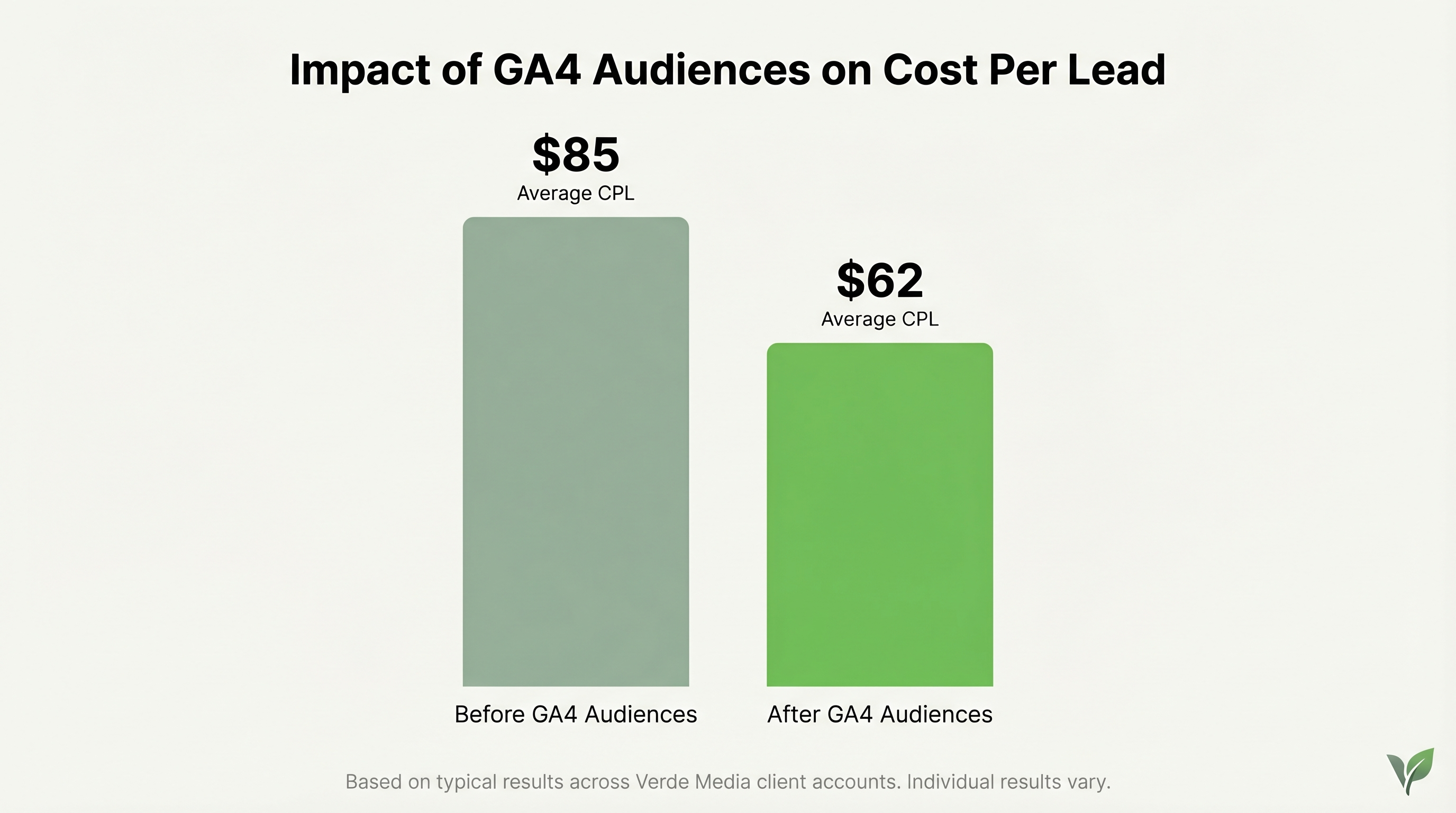
We're not going to promise you'll cut your cost per lead in half overnight. What we typically see with clients who implement GA4 audiences properly is a 15–25% improvement in cost per acquisition within the first 60–90 days. That's not a small number — on a $5,000/month budget, that's $750–$1,250 in monthly savings or, more accurately, budget that's now working instead of being wasted.
The impact compounds over time, too. As your audiences collect more data and you refine your inclusions and exclusions, Google's Smart Bidding gets better data to optimize against. We've written about how Smart Bidding relies on accurate conversion data — audiences are the other half of that equation.
The businesses that see the biggest impact are usually the ones spending $3,000+ per month on Google Ads. At lower budgets, the audience sizes sometimes don't hit the minimum thresholds Google requires for targeting (typically 1,000 users in the audience). But even at smaller scales, exclusions can still save you real money.
Five Audiences to Build This Week
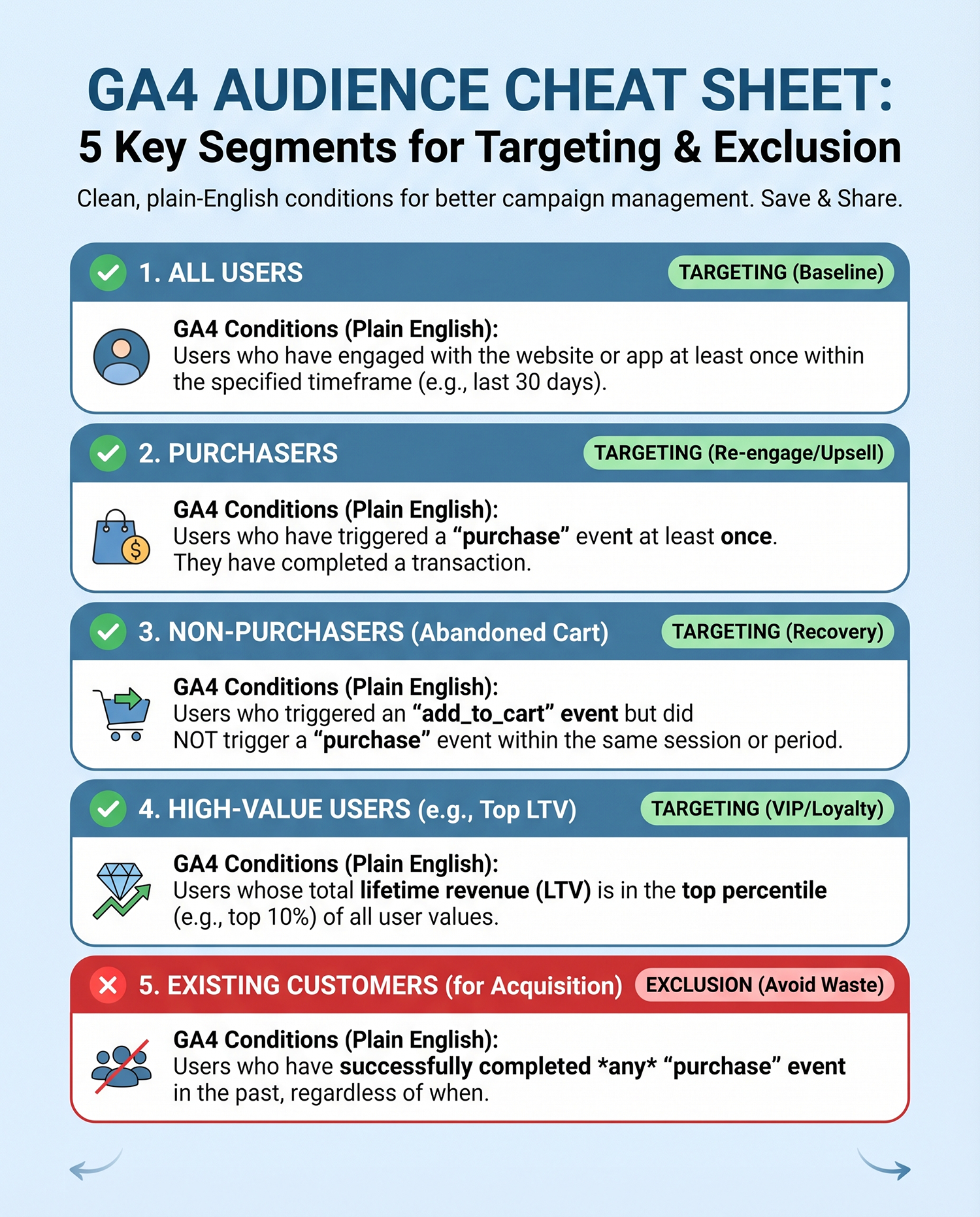
If you want to start somewhere practical, here are five audiences you can build in GA4 today and start using in Google Ads by next week:
1. Pricing Page Visitors (Non-Converters) — Your highest-intent remarketing audience. These people were evaluating you. Hit them with a follow-up ad that addresses common objections or offers a free consult.
2. Blog Readers Who Visited 3+ Pages — These visitors are in research mode. They're not ready to buy yet, but they're engaged. Use a softer CTA like a guide download or newsletter signup.
3. 30-Day Bouncers (Exclude) — Visitors with under 10 seconds of engagement time in the last 30 days. Exclude them from all remarketing campaigns.
4. Past Converters (Exclude from Lead Gen) — Anyone who triggered your primary conversion event in the last 60–90 days. Exclude from lead generation campaigns, but consider targeting them separately with upsell or review-request messaging.
5. Cart/Form Abandoners — People who started your checkout or began filling out a form but didn't complete it. These are conversion opportunities you've already paid for once — remarketing to them is almost always your highest-ROI audience.
The Bigger Picture
GA4 audiences aren't just a "nice to have" optimization. They fundamentally change how your Google Ads campaigns operate. Instead of casting a wide net and hoping for the best, you're making deliberate decisions about who sees your ads and — just as importantly — who doesn't.
This is exactly the kind of thing that separates businesses that get okay results from paid search from businesses that get great results. The ad copy and keywords matter, sure. But if you're showing the right message to the wrong person, none of that matters.
The catch is that most of this goes unused. GA4 has been around for years now, and we still see the majority of businesses running Google Ads with zero audience configuration. That's not a criticism — the setup isn't exactly intuitive, and Google doesn't go out of its way to surface these features for non-technical users.
But now you know they exist. And if you'd rather have someone handle the setup and strategy for you, schedule a free consultation with our team. We'll audit your current GA4 and Google Ads setup, identify the highest-impact audiences for your business, and build them out so your budget starts working harder from day one.
