

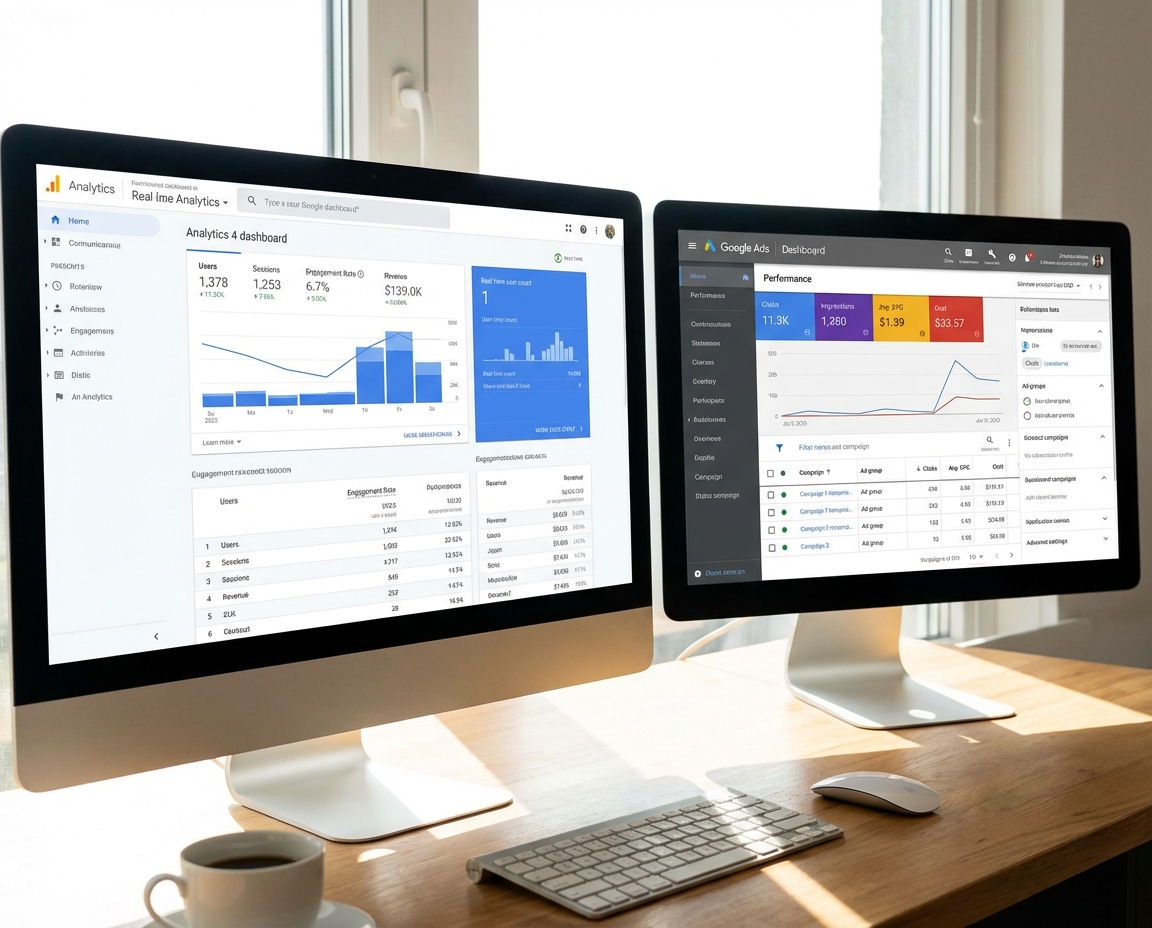
You open Google Ads, and it says you got 40 conversions last month. Great. Then you open GA4, and it says 23. Not so great. Now you're staring at two dashboards from the same company telling you two different stories — and you're supposed to make budget decisions based on this?
If you're running paid search campaigns and this mismatch has made you question everything from your tracking setup to your agency's competence, you're not alone. This is one of the most common (and most frustrating) issues business owners and marketing managers run into with Google's tools. The good news is there's a logical explanation for every bit of it — and once you understand what's happening, you can actually use both numbers to make smarter decisions.
[GRAPHIC: Side-by-side mockup of a Google Ads dashboard showing "40 conversions" next to a GA4 dashboard showing "23 conversions" for the same date range. Use a clean, simplified design with a confused emoji or question mark icon between them. Keep the style light and approachable.]
It's Not a Bug — It's a Feature (Sort Of)
Here's the thing most people don't realize: GA4 and Google Ads were never designed to show the same number. They're built to answer different questions.
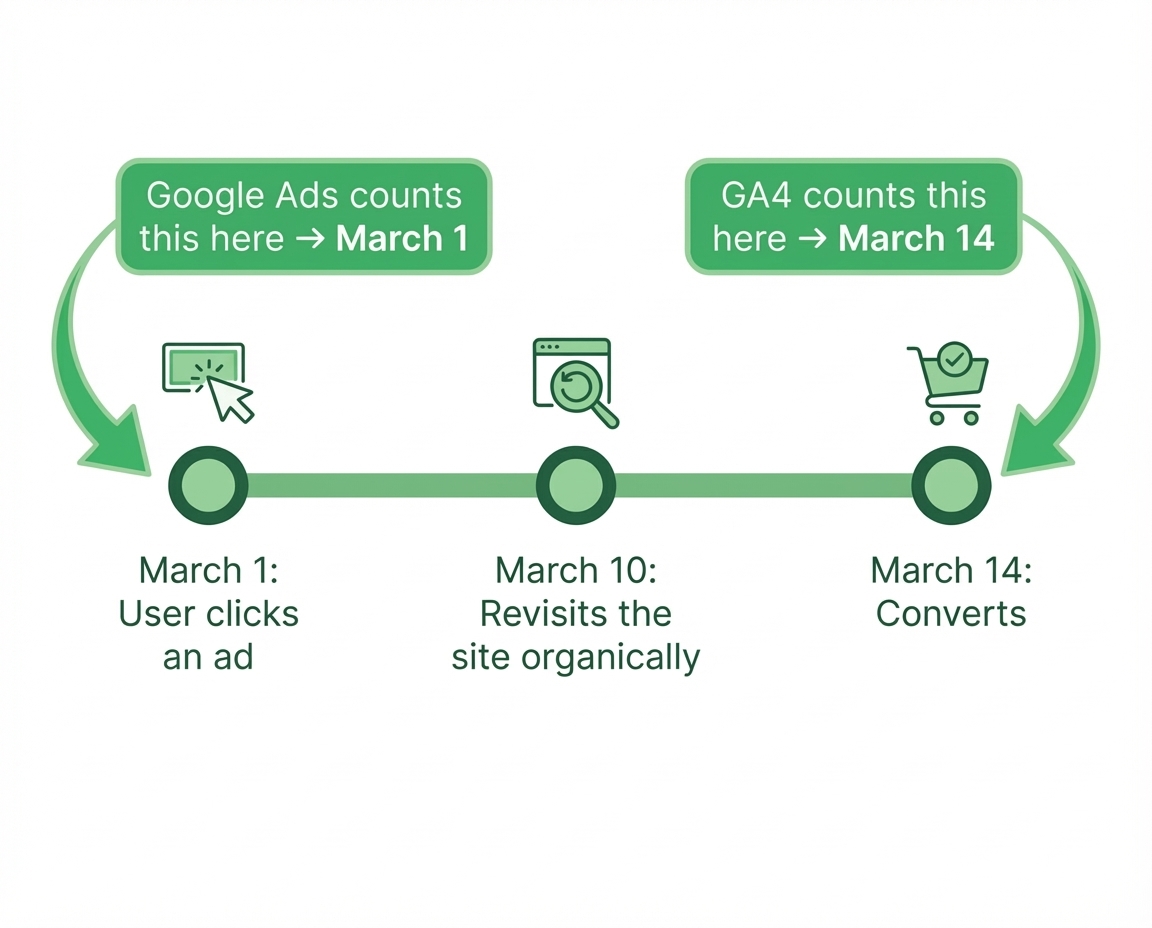
Google Ads wants to answer: "Which ad click led to this conversion?" It uses what's called last-click attribution for most conversion types, and it credits the conversion back to the date the ad was clicked — even if the person didn't actually convert until two weeks later. So if someone clicked your ad on March 1st and filled out your contact form on March 14th, Google Ads counts that conversion on March 1st.
GA4 takes a wider view. It uses data-driven attribution by default, which means it distributes credit across multiple touchpoints in the customer journey. And it records the conversion on the day it actually happened — March 14th in our example.
Same conversion. Two different dates. Two different numbers on your monthly report.
The Counting Problem
It gets deeper than attribution dates. Google Ads and GA4 actually count conversions differently at a fundamental level.
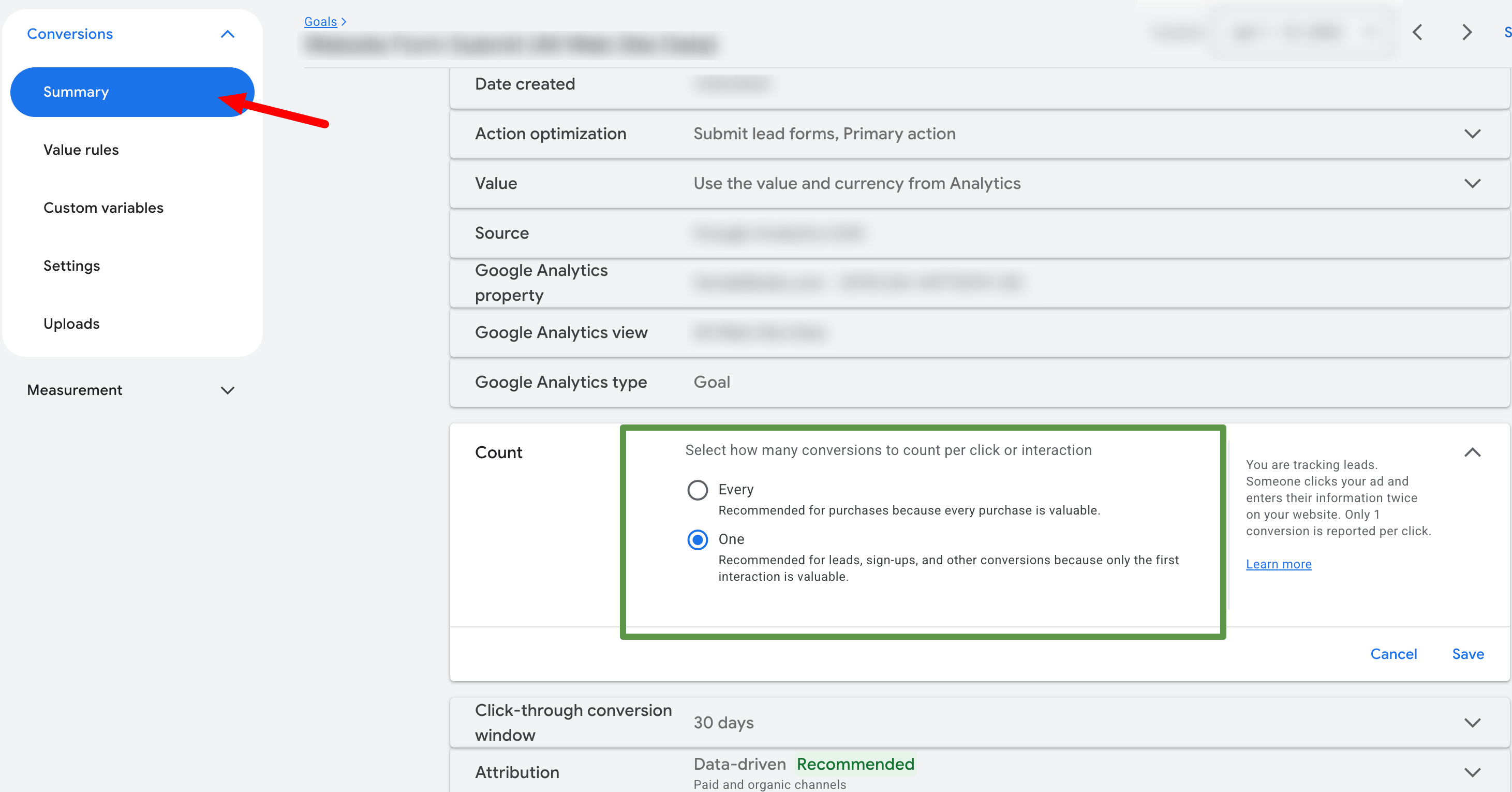
Google Ads lets you choose between counting "one conversion per click" or "every conversion per click." If you're tracking purchases and someone buys three times after clicking one ad, Google Ads can count that as three conversions. GA4, on the other hand, counts unique key events — one per session by default, depending on how you've configured things.
According to Google's own documentation on conversion counting methods, the way you configure your conversion actions in Google Ads directly impacts the numbers you'll see. If you haven't thought carefully about whether "every" or "one" makes sense for your business, you could be significantly over- or under-counting your results.
The Privacy Gap Is Real
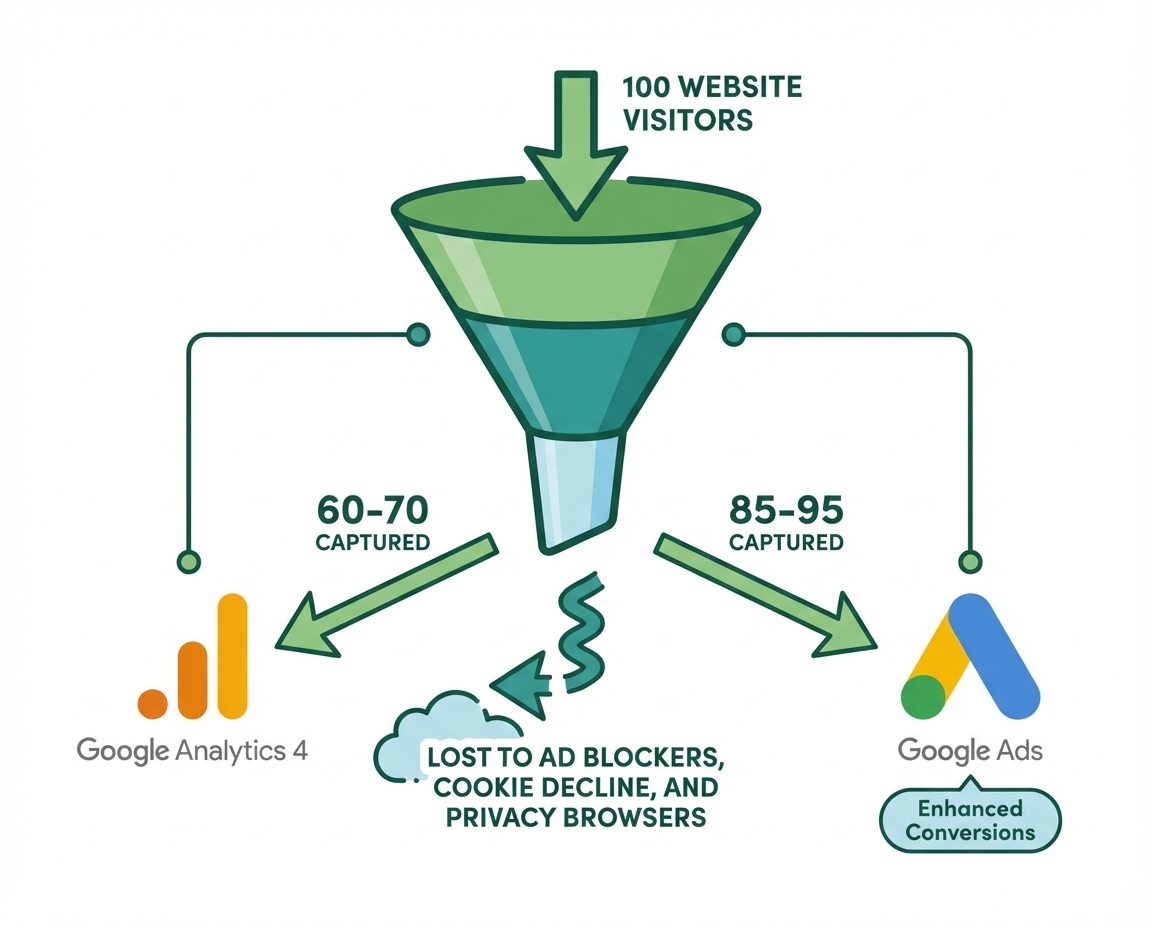
This one is a bigger deal than most people realize. GA4 relies on browser-based tracking — cookies, JavaScript tags, that sort of thing. And here's the problem: a growing chunk of your website visitors are using ad blockers, privacy browsers, or simply declining cookie consent banners.
When that happens, GA4 never sees those visitors. They're invisible. The conversion literally happened, the person filled out your form or made a purchase, but GA4 has no record of it.
Industry estimates suggest GA4 can track roughly 15–40% fewer conversions than what's actually happening, depending on your audience and industry. If your customers tend to be more tech-savvy (think B2B SaaS, IT services, or younger demographics), that gap is probably even wider.
Google Ads tracking, particularly when you're using Enhanced Conversions, is more resilient to this because it uses first-party data — hashed email addresses, phone numbers — to match conversions back to ad clicks even when cookies get blocked.
Why This Actually Costs You Money
This isn't just a reporting annoyance — it directly impacts your bottom line. Here's how:
Google Ads Smart Bidding runs on conversion data. If you're importing your conversions from GA4 into Google Ads (which many businesses do), and GA4 is under-reporting by 30–40%, you're feeding Smart Bidding incomplete data. It's like asking a GPS to navigate with half the map missing. Your campaigns will underbid on opportunities that are actually converting, and you'll end up paying more for less.
On the flip side, if you're only looking at Google Ads numbers and they're inflated because you accidentally set your conversion counting to "every" instead of "one," you might think a campaign is crushing it when it's really just counting the same customer multiple times.
Either way, bad data leads to bad decisions. And bad decisions cost real money.
How to Close the Gap
You're probably not going to get these numbers to match perfectly — and that's okay. But you can get them close enough to make confident decisions. Here's what to focus on:
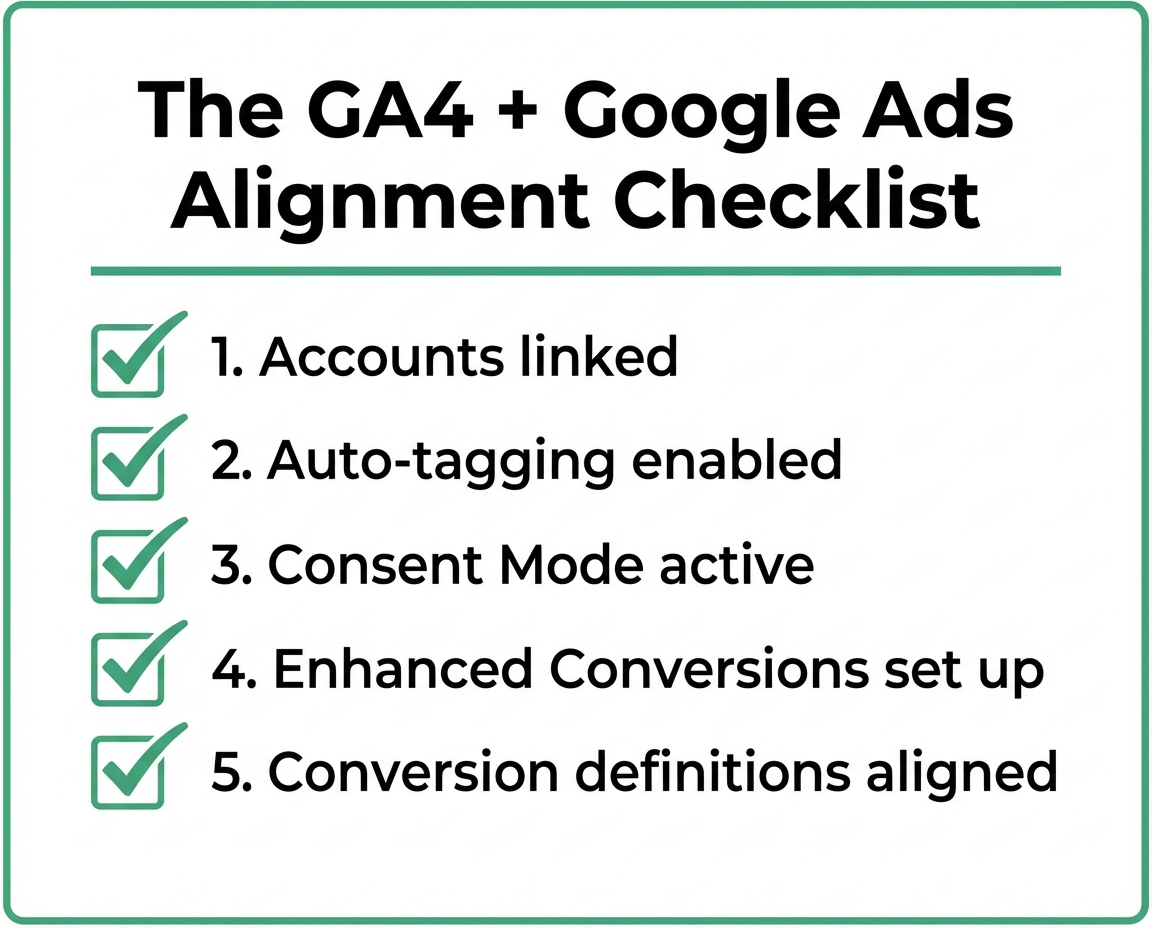
1. Make Sure Your Accounts Are Actually Linked
This sounds obvious, but you'd be surprised. If your GA4 property and Google Ads account aren't linked, you're flying completely blind. GA4 won't have any Google Ads data, and Google Ads won't be able to pull audiences or conversions from GA4. You can check this in GA4 under Admin → Product Links → Google Ads Links. If nothing's there, that's your first problem.
2. Turn On Auto-Tagging in Google Ads
Auto-tagging appends a GCLID parameter to your ad URLs, which is how GA4 connects a website visit back to a specific ad click. Without it, GA4 has no way of knowing that a visitor came from your Google Ads campaign versus an organic search. It's usually on by default, but if someone turned it off or if your website strips URL parameters, your data is going to be a mess.
3. Set Up Google Consent Mode
Google Consent Mode is Google's framework for handling privacy regulations while still recovering some of the conversion data you'd otherwise lose. When a user declines cookies, Consent Mode sends cookieless pings to Google that allow it to model the conversions that got blocked. It's not perfect, but it bridges a significant portion of the privacy gap.
4. Use Enhanced Conversions
We've written about this before — Enhanced Conversions send hashed first-party data (like email addresses from form submissions) along with your conversion tags. This helps Google match conversions back to ad clicks even when traditional tracking breaks. If you're not using this yet, it's one of the highest-impact changes you can make.
5. Align Your Conversion Definitions
Make sure the key events you're tracking in GA4 actually match the conversion actions in Google Ads. If GA4 is tracking "form_submit" but Google Ads is tracking a different event or a thank-you page view, your numbers will never line up — and they shouldn't, because you're literally measuring different things.
So Which Number Should You Trust?
The honest answer: both — but for different purposes.
Use your Google Ads conversion data when you're making decisions about campaign performance, bid strategies, and budget allocation. It's purpose-built for that. Use GA4 when you want the full picture of how customers are finding you across all channels — not just paid search but organic, social, email, and direct traffic too.
The worst thing you can do is panic when the numbers don't match and start tearing apart your tracking setup based on a problem that isn't actually a problem. The second worst thing is ignoring the discrepancy entirely and assuming everything's fine.
If your GA4 and Google Ads conversion gap is consistently larger than 20–30%, or if the numbers are trending in opposite directions, that's when something is likely misconfigured. And at that point, it's worth getting an expert involved rather than spending hours in settings menus making things worse. We've put together a 30-minute audit guide that walks you through the basics, but if the numbers still aren't making sense, we can take a look.
If you're tired of second-guessing your data and want someone to cut through the noise, schedule a free consult with our team. We'll review your GA4 and Google Ads setup, identify what's off, and give you a clear picture of what your campaigns are actually doing.
