

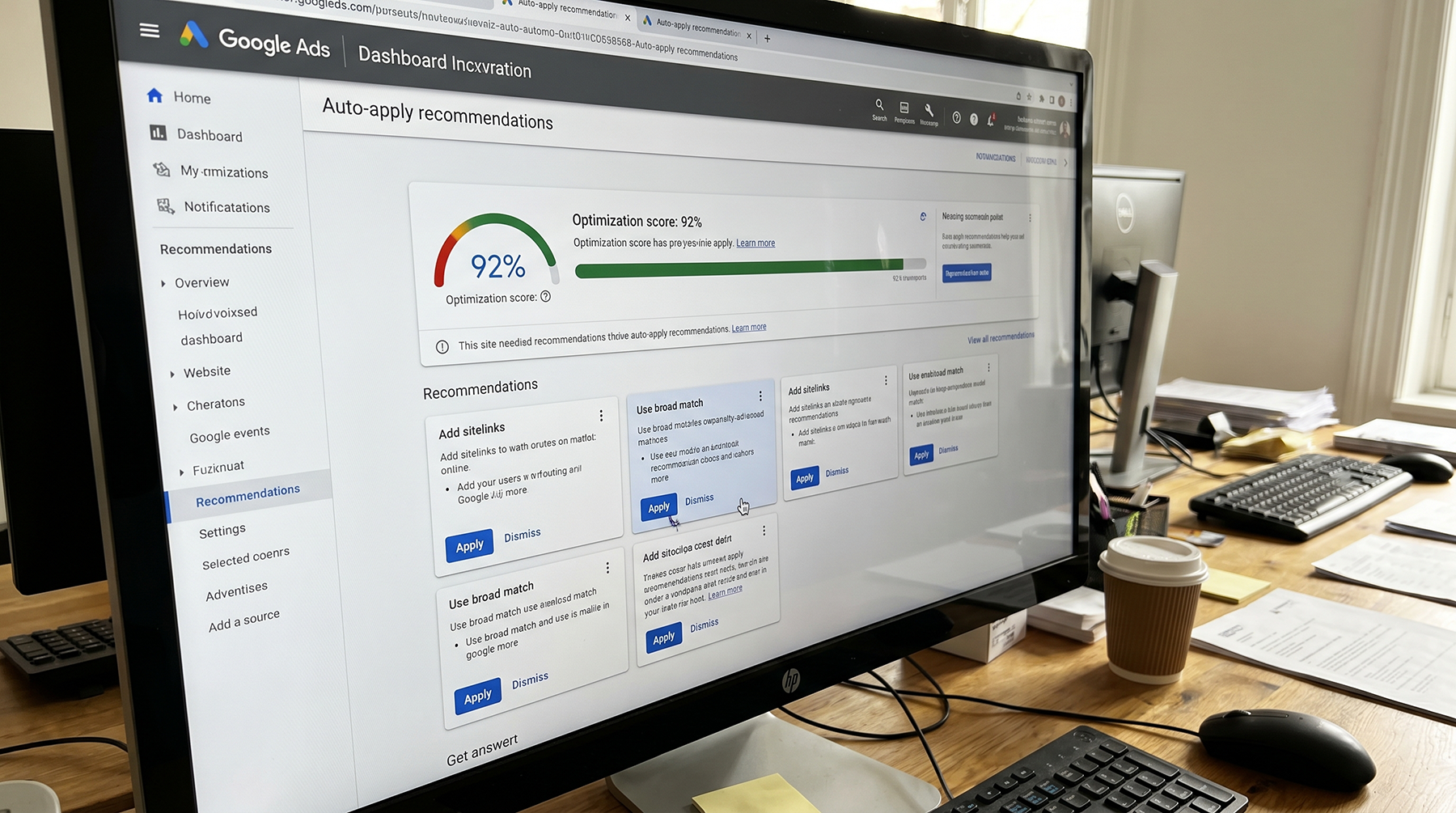
If you've spent more than five minutes inside a Google Ads account, you've seen the Recommendations tab. It's the page with the blue percentage in the corner, your "optimization score," and a running list of changes Google wants you to make. Add these keywords. Raise this budget. Switch to this bid strategy.
Sometimes the suggestions are helpful. Other times, they're designed to get you to spend more money, not necessarily make more money. Knowing which is which is how you protect your paid search investment from expensive mistakes that look like good ideas.
What is the optimization score, really?
It's a number from 0% to 100% that Google assigns based on how many of its recommendations you've applied. Higher score means you've accepted more suggestions. Lower score means you haven't.
The part Google doesn't advertise: that score has nothing to do with how well your campaigns are actually performing. It measures how closely your account matches what Google thinks you should be doing. Those are very different things.
You can have a 95% optimization score and be hemorrhaging money on irrelevant clicks. You can also sit at 62% and run a tight, profitable campaign that's generating solid leads. We see both all the time.
The score is a nudge tool. It is not a report card.
Google's own documentation calls it "an estimate of how well your Google Ads account is set to perform." That word "estimate" is doing a lot of heavy lifting. The score is based on what typically works across all advertisers, not what works for your business, your margins, or your sales cycle.
Recommendations that are generally safe to accept
Not everything Google suggests is self-serving. Some recommendations surface real problems worth fixing.
Fix tracking issues. If Google flags that your conversion tracking is broken or missing, pay attention. Everything else depends on this. Without accurate conversion data, Smart Bidding can't optimize, and your reports don't mean anything. We wrote an entire audit guide on this because we kept seeing the same problems across new client accounts.
Add sitelink and callout extensions. These are the extra links and snippets that show below your ads. They take up more space on the results page and give people more reasons to click. They cost nothing extra. Almost no reason not to add them.
Remove redundant keywords. If you have duplicate keywords across ad groups, you're bidding against yourself in the auction. Consolidating them is usually a clean win.
Fix disapproved ads. Policy violation took one of your ads down? Fix whatever triggered it and get the ad back in rotation. Straightforward.
Ad strength suggestions (selectively). Google will push you to add more headlines and vary your descriptions in responsive search ads. The suggestions are reasonable, but don't chase an "Excellent" ad strength rating for its own sake. Write ads that speak to your customers. If the ad strength metric doesn't like it, that's Google's problem.
Recommendations to think twice about
These sound reasonable on the surface, but they can quietly drain your budget if you're not paying attention.
"Raise your budget." Google's most common suggestion. They frame it as "your campaign is limited by budget," which implies you're missing out. Maybe you are. But raising your budget without first confirming that your current spend is converting profitably is just throwing more money at a problem you haven't diagnosed yet. If your cost per lead is already too high, a bigger budget doesn't fix that. It makes it worse.
"Add broad match keywords." Broad match gives Google permission to show your ads for searches that are related to your keywords, not just searches that match them. Google's gotten better at this with AI. "Better" still doesn't mean "reliable." Adding broad match without tight conversion tracking and a proven Smart Bidding strategy is asking for irrelevant clicks. If you're a plumber in Detroit, broad match can show your ad to someone looking for plumbing supplies in Dallas.
"Switch to a different bid strategy." Google loves suggesting you move from Manual CPC to Maximize Conversions or Target CPA. Automated strategies can work well, but only if you have enough conversion volume (30 to 50+ per month) and clean data. Switching to automated bidding on a campaign that gets 5 conversions a month gives the algorithm almost nothing to learn from. It'll burn through your budget while it "learns."
"Add new keywords." Google will suggest keywords it considers relevant. Some will be. Many won't. Always review the actual search terms before adding anything. Check whether those keywords match what your customers actually type into Google, not what Google's AI considers tangentially related.
Recommendations you should almost always ignore
Some suggestions are worth dismissing on sight.
"Apply automatically." This is the big one. Google offers to auto-apply certain recommendations without asking you first. That means Google can add keywords, change your bids, adjust your budget, or switch your bid strategy while you sleep. Some of these are turned on by default. Go to Settings, then Auto-apply in your Google Ads account and turn everything off. Then check it again next month, because Google has a habit of re-enabling auto-apply settings after account updates.
"Expand your reach with Display Network." Unless you're specifically running brand awareness, opting into the Display Network from a Search campaign is going to flood your account with cheap, low-intent impressions from random websites and apps. Your cost per click will look great. Your conversion rate will look terrible.
"Use optimized targeting." This lets Google show your ads to people outside your defined audience if it thinks they're likely to convert. Google's predictions are based on aggregate data across millions of advertisers. They don't know that your ideal customer is a 45 year old facilities manager in Oakland County, not a college student in Ann Arbor. For most small and mid-size businesses, keeping your targeting defined is more effective than handing the steering wheel to Google.
"Create a Performance Max campaign." Google pushes Performance Max hard. It can work, but it's a black box. You hand over your budget and creative, and Google decides where your ads show across Search, Display, YouTube, Gmail, and Maps. If you need to know where your money is going and why, this is a tough recommendation to accept without someone building a real strategy around it first.

How to actually use the Recommendations tab
Stop chasing the optimization score number. Here's what actually works:
Check it once a week. New recommendations appear as your campaign data changes. Weekly is enough to catch anything important without getting pulled into reactive changes every day.
Dismiss what doesn't apply. Most people don't realize this: dismissing a recommendation gives you the exact same score boost as applying it. Google doesn't penalize you for saying no. If a suggestion doesn't fit your strategy, dismiss it and move on. Your score goes up either way.
Treat it like a maintenance checklist. The tab is useful for catching things you might have missed. A broken link. An ad group with no active ads. A campaign that's been paused for three months and nobody noticed. That's where the Recommendations tab earns its keep.
Look at your actual numbers first. Before accepting anything, check what your campaigns are actually doing. What's the cost per lead? Conversion rate? Are you hitting your targets? If a campaign is performing well and Google suggests changing the bid strategy, ask yourself why you'd fix something that isn't broken.

Remember who's making the suggestions
Google Ads recommendations aren't all bad. Plenty of them are useful maintenance reminders. But Google is an advertising platform. Its business model runs on you spending more money. That doesn't make the suggestions dishonest, but it does mean Google's priorities and yours won't always line up.
The people who get the best results from Google Ads aren't the ones clicking "apply" on every suggestion. They're the ones who check what each recommendation actually does, look at their own numbers, and decide from there.
If you're not sure which recommendations to follow and which to skip, or if you just found out that auto-apply has been making changes behind your back, schedule a free consult with our team. We'll go through your recommendations history, turn off anything that's hurting you, and make sure your account is set up for your goals, not Google's.
